HarmonyOS PC transforms how desktop workflows function in an AI-powered future
Over 19,000 apps now support HarmonyOS, but its true value lies in how the system handles cross-device integration and foldable displays. Unlike traditional PCs, which primarily run software, HarmonyOS embeds AI at the system level, enabling it to understand multi-device setups.
A system built for AI-driven workflows
The core innovation is that AI isn’t just an app—it’s part of the OS itself. Traditional workflows often stall when transferring files between a phone, tablet, and laptop. HarmonyOS resolves this by treating the PC as the central node of a distributed system rather than an isolated device. During content creation or office tasks, work can seamlessly transition between screens without manual file exports, turning the computer into a dynamic, adaptive environment.
Professional software performance
When tested with common office and creative applications, HarmonyOS demonstrates a design principle: an "AI PC" should go beyond hardware acceleration for tasks like background blurring. Instead, it should focus on how software interacts with the system’s capabilities.
Cross-device collaboration in action
- Seamless syncing: Active windows across devices update with nearly undetectable delay, ideal for using a tablet as a secondary display.
- Foldable optimization: The OS adapts the UI for foldable devices, offering a lightweight laptop experience for mobile professionals.
- System-level AI: Tasks requiring heavy AI processing are managed efficiently, preventing performance bottlenecks elsewhere in the OS.
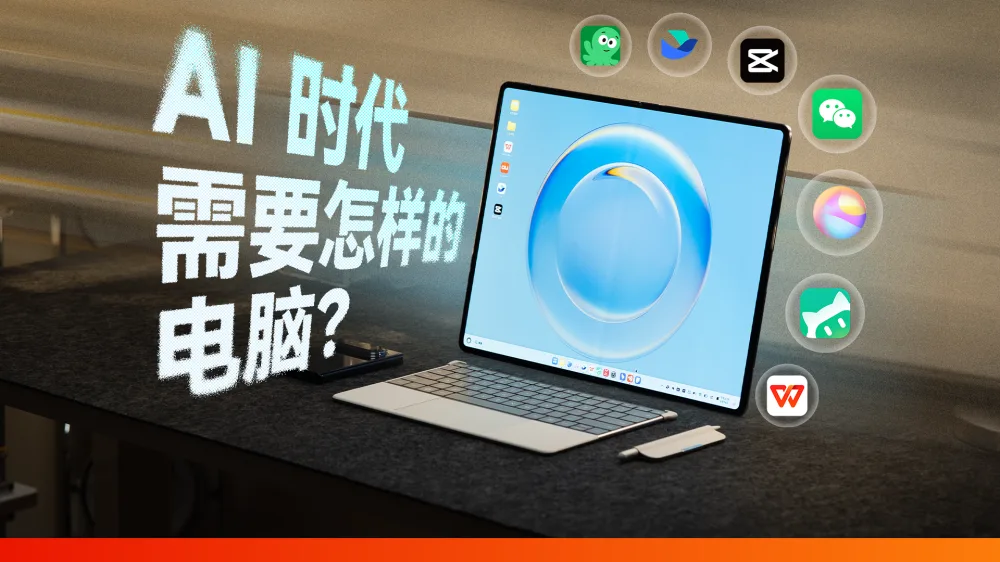
For users optimizing this setup, the distributed file system is critical. Instead of relying on cloud storage, HarmonyOS emphasizes a "shared state" model—when the PC knows what the phone is displaying, workflows become faster because context transfers automatically.
A fundamentally different approach to AI computing
Unlike Windows and macOS, which layer AI features onto existing architectures, HarmonyOS appears designed from the ground up for an AI-first future. This suggests a shift where the PC becomes just one part of a broader, AI-managed personal computing ecosystem.
All Replies (3)
Want a live back-and-forth? Join the global AI chat room — login to talk.
I'm curious if this AI runs local LLMs or relies on the cloud. Anyone seen the specs? From what I've read, the system treats the PC as the central hub of a distributed system rather than a standalone terminal, which could explain how it handles AI processing across devices.
The window snapping feature in foldables feels so rigid—it’s like trying to snap into a rigid workflow instead of a fluid one. HarmonyOS actually treats devices as part of a cohesive system, so tasks can seamlessly shift between screens without manual exporting, making workflows feel more adaptable.
I need seamless clipboard syncing for my devices. Which OS actually handles this without lagging? HarmonyOS might be a good fit. It treats the PC as the central hub of a distributed system, allowing tasks to move across screens without exporting or sending files. This could significantly improve clipboard syncing efficiency.