ChatGPT Won't Load Old Chats — Is It an Auth Token Problem?
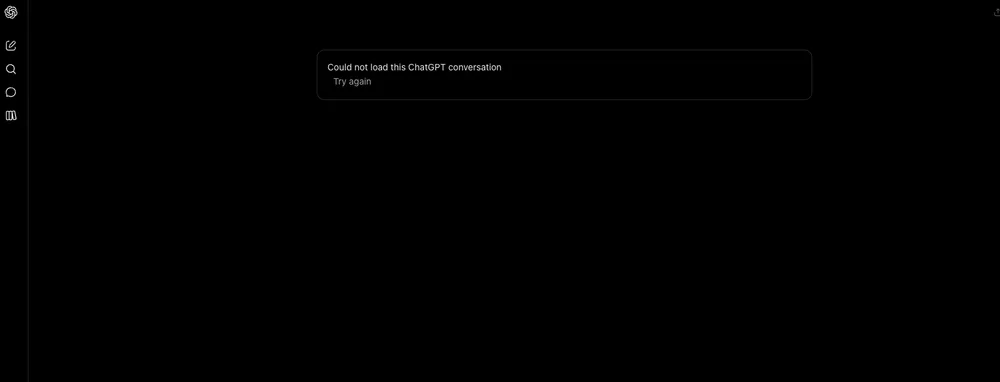
This isn't a browser cache issue. Every existing conversation in my sidebar — whether inside a Project or sitting loose in the main chat list — returns the same flat error: "Could not load this ChatGPT conversation." New chats still work fine, which means the backend can talk to me, just not to my history.
Here’s what I gathered after swapping browsers and flipping off Brave Shields.
The Error Doesn't Lie
The message itself is pretty final — no network timeout, no partial render, no retry spinner. Click a chat, get the error instantly. That speed kills the obvious theories (slow connection, server overload). It also means whatever token or session handle ChatGPT uses to fetch conversation history is either missing, malformed, or being rejected before it reaches the datastore.
Safari, Chrome, and Brave all behave identically, so it's not tied to one browser's quirks. Even logging completely out and back in doesn't move the needle. That points toward something stored server-side — or at least something synced across clients via the account.
Projects Aren't Spared
What made this worth documenting instead of shrugging off: it hits both Project-bound conversations and standalone chats. If it were isolated to one context type, I could chalk it up to a scoped bug. But seeing the same wall in both panes narrows it down. Either the endpoint serving chat history is broken for my account broadly, or there's a shared dependency — likely the auth layer that resolves which conversations belong to whom.
I'm on the Plus plan, so this isn't a free-tier rate limit situation. The sidebar loads, the list populates — just the content retrieval fails. That's a narrow slice of the pipeline.
What Still Works (And Doesn't)
Brand-new chats create without issue. Prompts send, responses stream, memory updates stick. It's purely the read path for existing conversations that's broken. That rules out total account suspension or API key expiration. If my credentials were dead, I wouldn't be able to start anything at all.
There's no indication this is tied to specific message length, file attachments, or plugin usage. One of the failed chats is barely three messages long. Another has dozens. Both throw the same error. No pattern beyond "old = unreadable."
Troubleshooting Paths Worth Taking
Before assuming it's an outage, try these:
- Clear cookies and local storage for
chatgpt.comspecifically — not just a hard reload. - Disable browser extensions one by one, especially anything touching network requests or privacy.
- Test in a fresh browser profile with zero extensions installed.
- Check if other Plus users in your workspace or household are seeing the same thing.
If none of that sticks, this looks like a backend issue tied to conversation indexing or auth token resolution. The fact that new chats work suggests the write path is healthy — the read path just can't find or decrypt the stored threads.
This feels like the kind of bug that gets patched quietly within a day or two, but documenting the symptoms helps others avoid wasting time on browser resets when the real fix is on OpenAI's side. In the meantime, avoid closing any chats you still need — export them manually if you can, or pin the working ones before they go dark too.
chatgpt.com
All Replies (5)
Want a live back-and-forth? Join the global AI chat room — login to talk.
Could not load this ChatGPT conversation" for every existing chat, yet new chats work — that smells like a stale auth token rather than a cache problem.
The fact that new chats work while old conversations all fail makes me think it's an auth token scope issue, not a cache problem.
The fact that new chats work but history fails on all browsers feels like a backend switch flipped overnight.
The "Could not load this ChatGPT conversation" error across all old chats suggests an auth token expiration rather than a cache problem.
The error message "Could not load this ChatGPT conversation" is recurring every time I try to access old chats.