Work chat freezing and failing to output files when models hit capacity limits
When a chat interface hangs after an overload notification, the session state usually enters a deadlock where the browser client loses synchronization with the backend worker. If you are stuck in this state and need to recover a critical file, clicking buttons or switching modes rarely resolves the underlying socket interruption.
The most effective way to force a state refresh without losing the entire context of your session is to intercept the network call directly. Since the interface is non-responsive, the system has likely failed to finalize the "message sent" acknowledgement.
Recovering stuck session data
If you encounter this UI lockup, do not close the tab immediately. Instead, attempt these steps to force the browser to dump the current state:
- Open the browser developer console.
- Navigate to the "Network" tab to see if any requests are still pending or showing a timeout error.
- Look for a request that is stuck in a "pending" or "blocked" status. Right-click that specific request and select "Copy as cURL" or "Copy as Fetch."
- If the model was in the middle of generating a file, the response payload might still be partially cached in the browser’s memory.
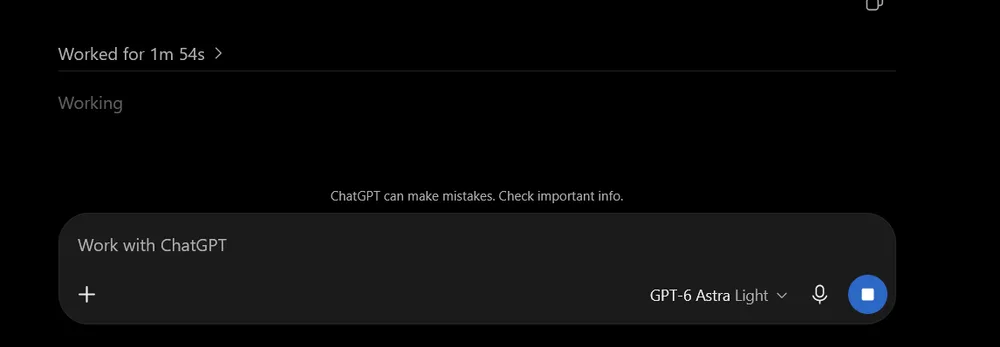
If you find that the UI is completely unresponsive even to developer tools, you are likely dealing with a server-side timeout. In these cases, the model has likely stopped processing entirely on the backend. Since you have already hit your usage limits for this session, attempting to refresh the page is the only way to regain control. Before refreshing, verify if the platform offers a "chat history" sidebar that stores the last successful state.
Preventing future data loss
To avoid losing work during long-form file generation, consider splitting your requests into smaller, modular tasks rather than asking for a single complex file output. When a model reaches its capacity limit, it often clears the buffer, resulting in the "overloaded" error that triggered your freeze.
If you are a developer or administrator managing your own community infrastructure, you can mitigate these types of client-side hangs by implementing robust WebSocket handling. Platforms like Discourse, which prioritize self-hosted reliability, often use asynchronous task queues to ensure that even if a frontend chat module hangs, the backend process continues to execute.
For those interested in how these systems handle real-time communication, you can review the technical documentation at:
https://meta.discourse.org/tWhen the interface fails to return the file, check if there is an "Export Chat" or "Download Transcript" option in the settings menu before refreshing. If the model was mid-stream, the final output may not exist yet, but the transcript of your previous prompts will be saved to your account history, allowing you to re-run the generation once the load decreases. Always copy your prompt into a local text editor before hitting send if the task involves high-latency operations or large file generation, as this provides a fail-safe against browser-level hangs.
Intercepting the network call is a lifesaver. I had a socket interruption last week that locked me out of a key document for an hour.