Migrated Custom GPT edit fails without plugin backend ID
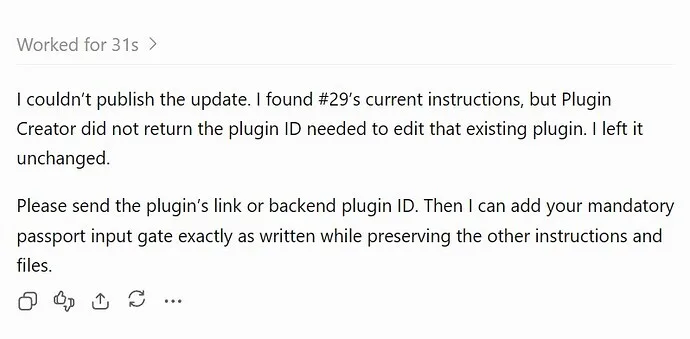
I just hit a blocker that stopped me from updating a migrated Custom GPT. The UI promised an “Edit plugin” button, but once I opened Plugin Creator, it refused to publish any change because it never received the backend plugin ID. The error popped up on September 29, 2026, around 11:18 AM ET, and the exact text was:
I couldn’t publish the update. I found #29’s current instructions, but Plugin Creator did not return the plugin ID needed to edit that existing plugin. I left it unchanged.

Please send the plugin’s link or backend plugin ID. Then I can add your mandatory passport input gate exactly as written while preserving the other instructions and files.
The migration itself went smooth—no warnings about instructions, files, apps, or actions. After the “Migrate to plugin” button completed, I saw the new plugin listed in the Plugins view. When I selected it and clicked “Edit plugin,” Plugin Creator opened in Work mode, pulling in all the existing instructions and knowledge files. I wanted to add a single rule while keeping everything else intact, but the publish button never became clickable. The missing piece was the backend plugin ID that Plugin Creator should have received automatically from the “Edit plugin” workflow.
The issue shows up on the Web surface with Chrome on Windows. The affected feature is the Custom GPT‑to‑Plugin migration, and the plugin in question is labeled “Migrated Custom GPT.” My original Custom GPT turned read‑only after migration, so I’m left with a functional plugin that cannot be reliably edited through the UI.
Reproduction steps
- Open an existing Custom GPT in the web interface.
- Click the “Migrate to plugin” button.
- Confirm the migration completes without errors.
- Locate the newly migrated plugin in the Plugins list and open it.
- Choose “Edit plugin” from the plugin’s menu.
- Plugin Creator loads in Work mode, displaying the plugin’s current instructions.
- Attempt a minor edit (e.g., add a rule) while preserving all other content.
- Click “Publish”—Plugin Creator returns the error above and does not provide a backend plugin ID.
What I tried to fix it
- Refreshing the browser and re‑entering Plugin Creator didn’t change the missing ID.
- Re‑migrating the plugin from scratch produced a new plugin, but the original remains read‑only.
- Checking the network tab showed no request for a plugin‑ID parameter when the “Edit plugin” button was invoked.
None of these workarounds gave me the backend ID needed to resume editing.
Why this matters
I run 29 business‑focused Custom GPTs, and each one needs precise instruction updates as requirements evolve. If the edit workflow is broken, I can’t iterate safely, and I’m forced to either keep the read‑only version or rebuild from scratch—both costly options. The bug also suggests a larger gap: the migration process should preserve a reference to the backend plugin ID, even if the original Custom GPT becomes read‑only.
What I’m hoping for
A fix that ensures Plugin Creator receives the backend plugin ID when launched via “Edit plugin.” Ideally, the UI would either surface the ID directly or allow publishing without it for migrated plugins. Until then, I’ll keep the migrated plugins as read‑only artifacts and postpone the remaining 28 migrations.
If anyone has encountered a similar issue or knows a workaround that bypasses the missing ID, let me know—my current workflow is stuck until this is resolved.
Same error here, no solution yet.