Google AI Studio previews stuck on old code and throwing 503s
My Google AI Studio previews stopped syncing with the latest code changes, defaulting to an HTTP 503 Service Unavailable error roughly half the time. The app isn't blank, but it refuses to load new edits, cycling through a mix of 502 Bad Gateway and 403 Forbidden responses in the console.
If you are seeing stale builds, do not assume it is just a cache issue. The underlying WebSocket handshake is likely failing before the new bundle loads. Here is the exact breakdown of the errors and the steps I took to isolate the cause.
Diagnosing the Preview Loop
The core symptom is that the preview renders something, but it is always the previous version. Refreshing the page or triggering a manual rebuild does not force the update. Instead, the connection drops intermittently.
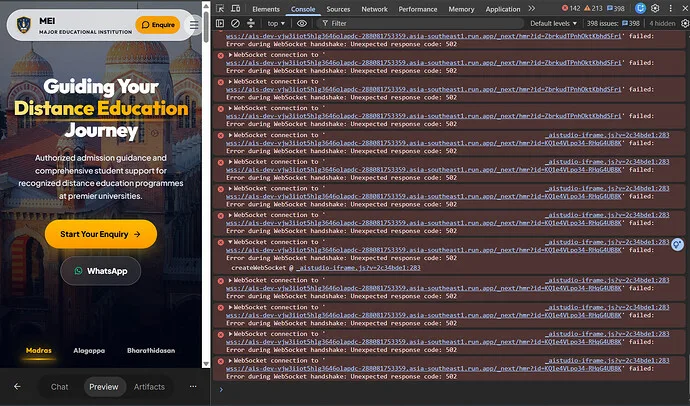
In the browser DevTools console, I tracked three distinct failure modes:
- WebSocket Handshake: The initial connection attempt fails with an HTTP 502.
- RPC Calls: Specific Google Remote Procedure Call requests return HTTP 403 Forbidden.
- Bootstrap Script: The
_aistudio-iframe.jsfile struggles to establish its bootstrap connection, causing fetch requests and WebSocket streams to hang indefinitely.
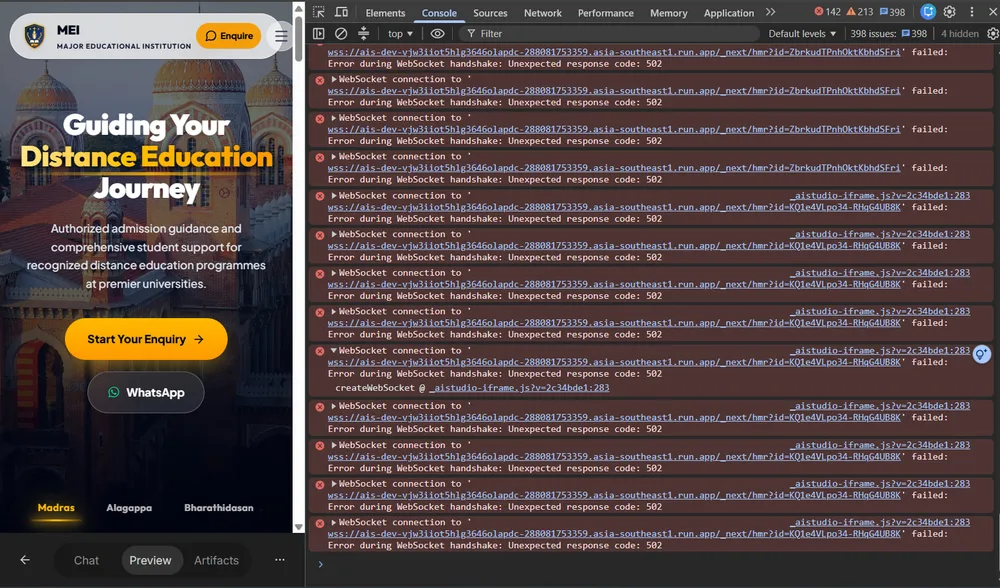
wss://ais-dev-... endpoint—so relative path issues are not the culprit.
Troubleshooting Steps That Didn't Work
Before filing a bug, I exhausted the standard reset procedures. None of these resolved the sync issue:
1. Hard Reloads: Refreshing both the preview iframe and the parent AI Studio page multiple times.
2. Context Switching: Opening the same app in a fresh browser tab.
3. Secret Verification: Double-checked the Gemini API key in the AI Studio Secrets panel to ensure permissions weren't revoked.
4. Checkpoint Management: Created a new checkpoint and triggered a rebuild explicitly.
5. Cache Clearance: Cleared browser sessions and cookies to rule out local storage conflicts.
Since the WebSocket URL was already absolute, patching the connection string manually did not help. The issue persists even after a full cache bust.
Likely Causes
Based on the error log, this feels like one of two things:
1. Stale Build State: The preview service is holding onto an old artifact. The 502/503 errors indicate the backend worker handling the build is crashing or timing out, leaving the frontend with the last known good state.
2. Permission Drift: The 403 Forbidden errors on RPC calls hint that the session token might be stale, preventing the preview engine from fetching the latest committed code.
I used App ID 669669be-8050-411d-b120-1aef179d5a3f for debugging. If you are running into the same loop, try forcing a new checkpoint after clearing your browser cache, then wait a full minute before refreshing. If the 502 WebSocket error persists, the preview service itself is likely experiencing transient instability rather than a local configuration error.
Half the time hitting 503 and the rest giving 502 or 403 sounds like the load balancer is routing to dead instances, but did you check if the WebSocket handshake fails before or after the stale build gets served?