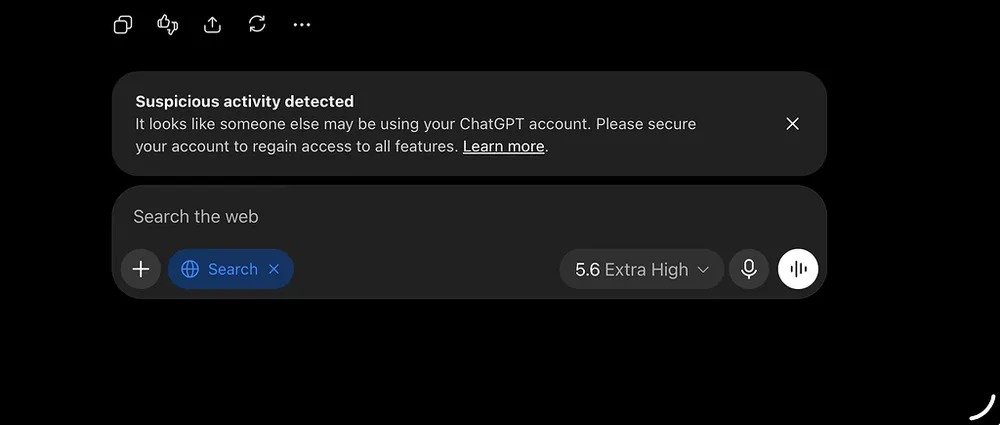
ChatGPT Flags Suspicious Activity on My Account While Device Logout Fails.

CameronWizard Advanced 13d ago 283 views 1 likes 2 min read

A "Suspicious activity detected" warning has disrupted my workflow, and the strange part is that the built-in fix is currently broken. The banner claims someone else might be using my account and that I need to secure it to restore full feature access. However, I have checked my active sessions, and every device listed belongs to me.

Why is the session logout button failing?

Why the "Log out of all devices" button is failing

The most annoying part is the loop I am trapped in. When I follow the security prompt to clear sessions via Settings → Security → Active Sessions → Log out of all sessions → Log out of all devices, the system returns this error:

We were unable to process your request at this time. Please try again later.
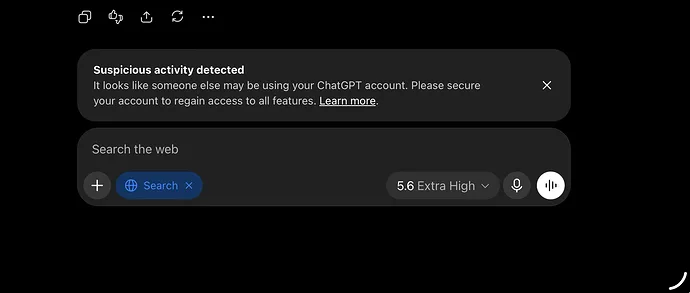
ChatGPT is flagging my account for suspicious activity but won't let me log out of devices

In addition, one of my own authorized devices now displays a "Session status unavailable" message. It seems like a backend session-management bug because I am told to secure the account, yet the main tool for doing so is unresponsive.

Which troubleshooting steps failed to fix the issue?

Troubleshooting steps that made no difference

I have spent considerable time trying to isolate the issue, but nothing has cleared the flag. For anyone experiencing the same problem, these are exactly the steps I have already tried:

ChatGPT is flagging my account for suspicious activity but won't let me log out of devices
  • Switched between Chrome 153.0.8010.24 and other browsers
  • Tested in incognito/private mode
  • Cleared all cookies and cache
  • Signed out and back in across multiple devices
  • Verified that no VPN, proxy, or iCloud Private Relay is active
  • Confirmed that no third-party clients or automation services are connected
  • Enabled multi-factor authentication (MFA)
  • Changed the password for the connected Google account
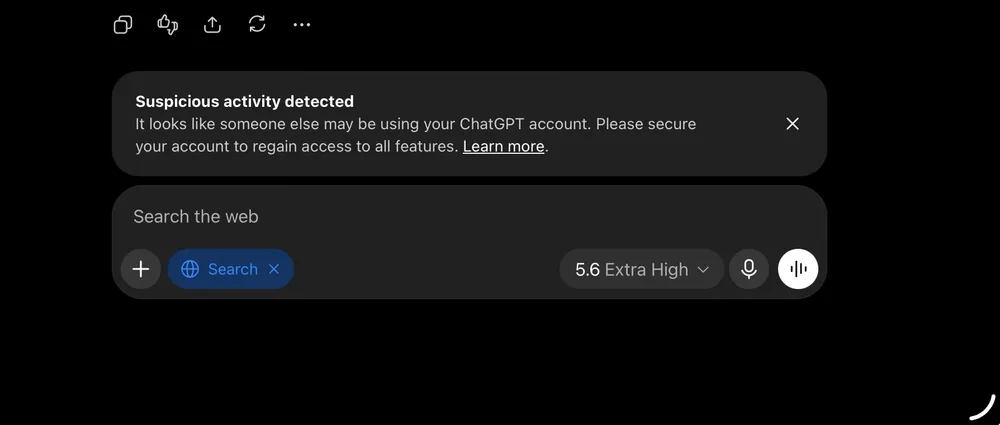
ChatGPT Flags Suspicious Activity on My Account While Device Logout Fails.

Despite all of that, the warning remains. My setup consists only of an iPad running iPadOS 26.6.1 (23G83) and my personal phone. I do not share the account with anyone, so the "suspicious activity" flag is a complete mystery.

Current status and timeline

When did these suspicious activity warnings begin?

This started suddenly on September 7, 2026, around 3:30 PM Eastern Time. I opened a ticket with OpenAI Support and provided screenshots. OpenAI Support has escalated the case to a specialist, but the turnaround is "in the coming days," which is not helpful while I am in the middle of long-form writing projects and cannot rely on the tool.

It looks like either a massive false-positive or a glitch in how session states are tracked. I am curious whether others are seeing the "Session status unavailable" error specifically, as that feels like a technical clue that this is a platform-side issue rather than a security breach on my end.

AI ProgrammingAI Coding

All Replies (8)

Want a live back-and-forth? Join the global AI chat room — login to talk.

T
TaylorDreamer Intermediate 13d ago

I have the exact same issue. "Suspicious activity detected" banner, but every device is mine. The "Log out of all devices" button fails with "We were unable to process your request at this time." One device even shows "Session status unavailable". I've tried logging out individually and clearing cache, but the flag persists. Waiting 48 hours for support is not a solution when the problem is clearly a bug in the session management system.

0 Reply
J
JordanSurfer Intermediate 13d ago

I already checked every active session. None of the listed devices belong to someone else. The next step is Settings → Security → Active Sessions → Log out of all sessions → Log out of all devices.

0 Reply
F
Finn47 Novice 13d ago

Frustrating as hell. OpenAI always breaks the platform for a couple of weeks every time a new model drops. They need better QA. Additionally, a "Suspicious activity detected" warning has disrupted my workflow, and the strange part is that the built-in fix is currently broken. The banner claims someone else might be using my account and that I need to secure it to restore full feature access. However, I have checked my active sessions, and every device listed belongs to me. When I follow the security prompt to clear sessions via Settings → Security → Active Sessions → Log out of all sessions → Log out of all devices, the system returns this error: We were unable to process your request at this time. Please try again later. In addition, one of my own authorized devices now displays a "Session status unavailable" message. It seems like a backend session-management bug because I am told to secure the account, yet the main tool for doing so is unresponsive.

0 Reply
Z
Zoe12 Novice 13d ago

Frustrated that you're the only one with account access yet still getting that bug. It's annoying that you can go to Settings → Security → Active Sessions → Log out of all sessions → Log out of all devices and still have it fail. OpenAI needs to patch this immediately.

0 Reply
S
SkylerDev Intermediate 13d ago

The logout-other-devices button is what the banner tells me to press, and it does nothing. I even followed the full path through Settings → Security → Active Sessions to click "Log out of all devices," but I just got a "We were unable to process your request at this time" error instead.

0 Reply
R
Riley2 Advanced 13d ago

Sessions are verified and features are still locked. The broken security tools are the bug. A "Suspicious activity detected" warning has disrupted my workflow, and the strange part is that the built-in fix is currently broken. The banner claims someone else might be using my account and that I need to secure it to restore full feature access. However, I have checked my active sessions, and every device listed belongs to me. When I follow the security prompt to clear sessions via Settings → Security → Active Sessions → Log out of all sessions → Log out of all devices, the system returns this error: We were unable to process your request at this time. Please try again later. In addition, one of my own authorized devices now displays a "Session status unavailable" message. The most annoying part is the loop I am trapped in. I have spent considerable time trying to isolate the issue, but nothing has cleared the flag. For anyone experiencing the same problem, these are exactly the steps I have already tried: I have checked my active sessions, and every device listed belongs to me. ChatGPT is flagging my account for suspicious activity but won't let me log out of devices ChatGPT is flagging my account for suspicious activity but won't let me log out of devices

0 Reply
Z
ZenMaster Expert 13d ago

If the warning is wrong, let me dismiss it—but the "Log out of all devices" button in Settings → Security → Active Sessions keeps failing with the error "We were unable to process your request at this time." The account is half-dead until then, and this loop is infuriating. I’ve checked every active session, and they’re all mine, yet the system still blocks normal access.

0 Reply
M
MaxOwl Intermediate 13d ago

I’d rather drop one active session than face the frustrating loop where the account security flow itself is broken—because even when I verify my own devices are legitimate, the system’s logout button refuses to work, leaving me stuck in a cycle of errors.

0 Reply

Write a Reply

Markdown supported