Miso lets me run local music models without the CLI headache
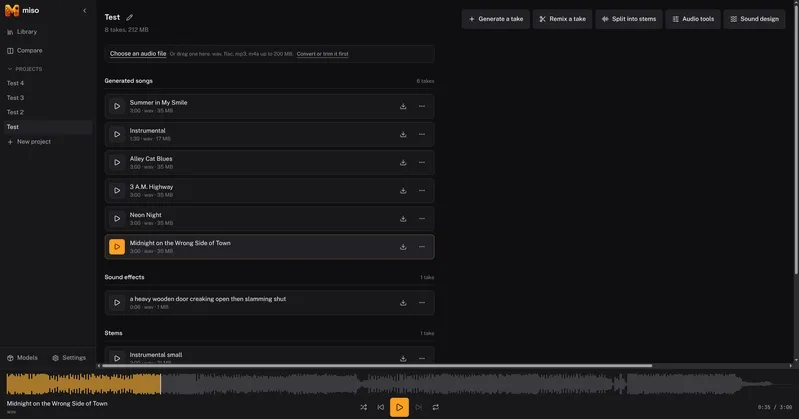
I ended up building Miso because I'm tired of juggling command-line tools and hunting through folders to find that one generated track that actually sounded good. It started as a simple interface for local music models, but it spiraled into a full self-hosted studio with a database, Docker Compose stack, and a job queue. It's built on top of audio.cpp and currently eats up about 40 GB of disk space for the various GPU models.
Moving beyond basic prompt-to-song generation
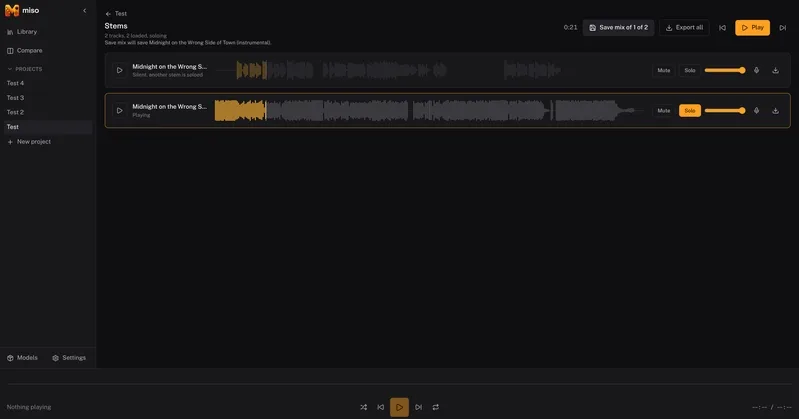
The real value isn't just typing a prompt and getting a file; it's what happens after the audio is generated. I needed a way to handle the "post-production" phase locally. This means managing stems, transcriptions, and the lineage of different takes so I don't lose the prompt or settings that created a specific sound.
I wanted to solve specific problems: isolating vocals, changing a singer, or converting a melody to MIDI to tweak it in a DAW. Miso treats a project as a collection of these assets—scores, lyrics, and stems—rather than just a folder of finished MP3s.
Handling the mess of different model syntaxes
The model landscape for audio is fragmented. Miso integrates several families through audio.cpp, but they all have different "personalities" when it comes to prompting:
- ACE-Step 1.5: My primary tool for full song generation, covers, and repainting sections.
- YuE2: Useful because it plans an ABC music score first and can actually provide that score back to the user.
- MiniMax Music 3 and HeartMuLa: Alternative generators that each require their own specific prompting style.
- Stable Audio 3: Best for sound effects and instrumentals.
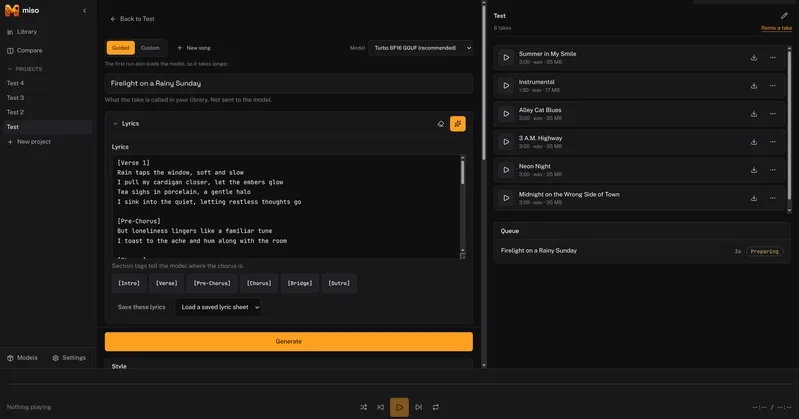
The annoying part is that one model might want a production-style caption, while another needs comma-separated tags. ACE-Step, for instance, requires BPM and key as separate parameters from the style and lyrics. I built a guided builder into the UI that translates a single set of controls (like "120 BPM, female vocal, upbeat synthpop") into the specific syntax each model expects.
How the repainting feature actually behaves
Repainting is the core of the workflow here. You can drag across a waveform and replace just a few seconds of audio. This saves me from regenerating an entire track just because one chorus had a glitch.
In my testing with ACE-Step's repaint route, I noticed something specific: the existing surrounding audio has a much stronger influence on the result than the text prompt does. If you try to repaint a section, the lyrics give you a decent amount of control over the vocals, but trying to force the music to suddenly shift into a completely different genre via the prompt usually fails because the model clings to the surrounding context. I actually ran tests with opposite prompts to confirm this, and the surrounding audio almost always won.
All Replies (3)
I'm curious if you used iZotope RX for the phase alignment or just did it by ear?
I want to try this tonight. I spent three hours yesterday chasing a 404 error in my local directory.
I want to try this tonight. Is $10k the cap or is there a specific niche like Shopify?