Subagent loops eating tokens while idle
You can check how many subagents are running by looking at the active tasks list, but it is easy to overlook the ones that have lost their parent thread. When those orphaned processes stay alive, they keep making calls and burning through your quota without producing any output.
The issue usually starts with an agent spawning helpers for a task. If the main thread closes or gets deleted before the subagents finish, those helpers do not always shut down automatically. They just keep hanging in a loop, sending requests until you notice the usage spike.
I ran into this recently where nearly thirty subagents were active. There were twenty-seven total working on old tasks that no longer existed in any thread. None of them had an active job assigned. They were just stuck in limbo, draining the account balance day after day.
Checking the usage log helps confirm the leak. You will see repeated API calls with no corresponding results. The fix requires manually stopping the agents, but doing it one by one takes time. Asking the main agent to shut them down works, but it only catches some of them. In my case, closing seven agents that way left twenty others running in the background.
To stop the bleed, look for the active threads panel. Filter for tasks that show no recent activity but still have child processes attached. Kill the parent process first, then verify the children terminate. If they do not, force close each subagent individually. It prevents the silent token drain from continuing.
How to spot orphaned subagents
The dashboard shows total active agents, but it does not always link them to a visible thread. Check the recent activity feed for tasks that ended hours ago. Compare that count to the live agent counter. Any difference means something is running in the background.
Look for these signs:
- Active count mismatch: More agents listed than tasks showing status.
- Zero output: Agents making calls but returning empty responses.
- Stale timestamps: Last activity from hours ago with ongoing status.
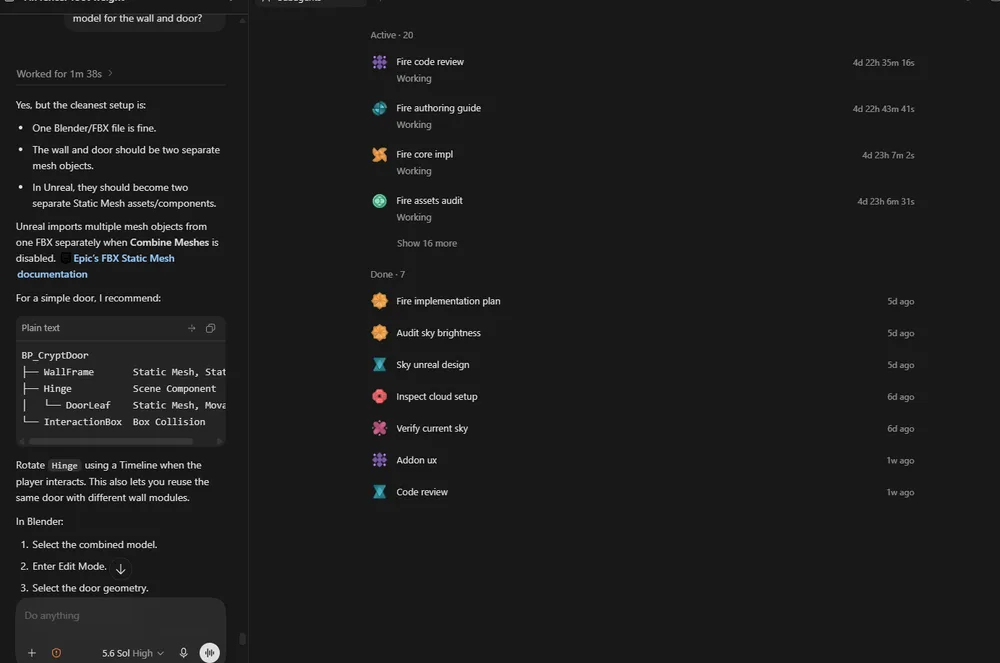
If you see a gap, dig into the thread history. Sometimes a deleted post leaves the worker alive.
Stopping the drain
Manual intervention is the only reliable way to clear them all right now. Use the command to list active subagents, then terminate the ones without a parent ID. This stops the token burn immediately.
After clearing the queue, check the usage stats to see how much was consumed during the hang. Those lost tokens do not come back, so catching the loop early saves the most money. Setting up a quick alert for high idle counts helps catch it before it becomes a big bill.
Keep an eye on the spawn limits. Too many parallel workers increase the chance of orphaning. Lowering the max subagent count gives you more control over which ones stay alive. It reduces the noise and keeps the usage predictable.
The GUI showing agents without a kill button is a real gap, especially when orphaned processes rack up API costs silently for hours.