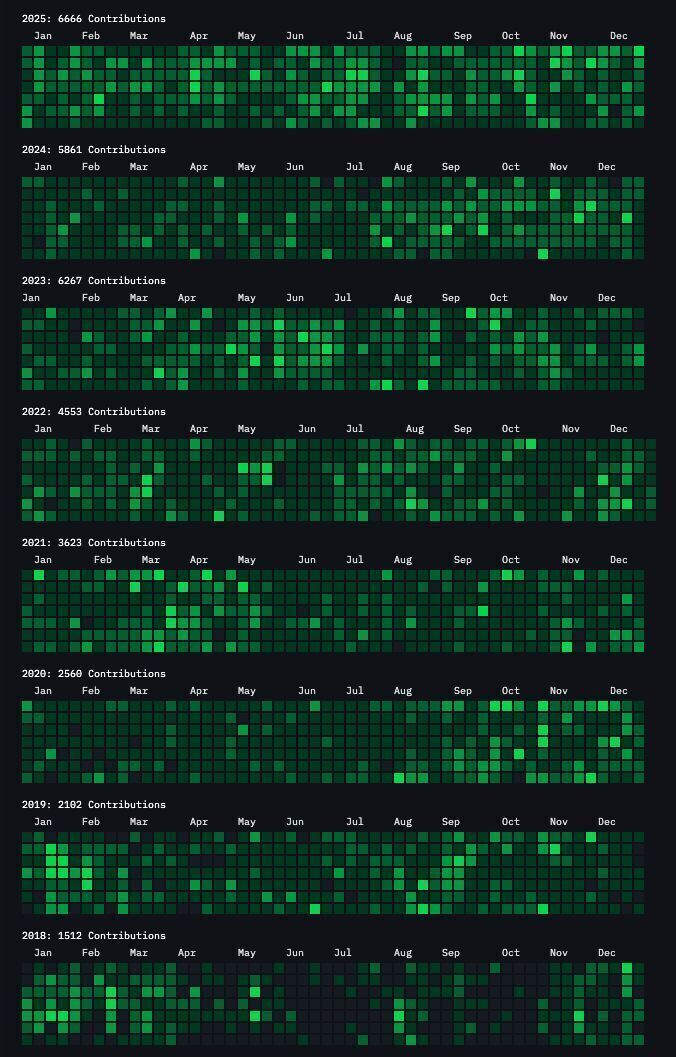
GitHub contribution graphs are essentially vanity metrics
I've been implementing this kind of "activity heartbeat" for a few of our internal utility repos to ensure the automation pipelines are firing correctly and the repos stay "warm." Here is a practical tutorial on setting up a forward-looking streak.
First, create a new repository (e.g.,
You need to create a workflow file in the
Next
My LeetCode Workflow: Stop Memorizing, Start Solving →
My Automated Contribution Workflow
The goal is to simulate realistic human behavior. Pushing exactly one commit at midnight every day looks fake. To make it look authentic, I configured the script to randomize both the volume and the timing of commits.
- Weekday volume: 2 to 7 commits (randomized)
- Weekend volume: 1 to 2 commits (randomized)
- Time window: Randomly distributed between 09:00 and 18:00
- Trigger: Scheduled via cron (UTC) with a manual override option
Implementation Guide
1. Repository Setup
First, create a new repository (e.g.,
daily-activity). I highly recommend setting this to Private. If you do, make sure to go to your profile settings and enable "Include private contributions" so the green squares actually show up on your public graph. Leave the repo completely empty—no README or .gitignore.2. The Workflow Configuration
You need to create a workflow file in the
.github/workflows/ directory. This YAML file tells GitHub to spin up a Linux runner daily, modify a text file, and commit those changes back to the repo.name: Forward Daily Contributions
on:
schedule:
# Runs every day at 00:00 UTC
- cron: '0 0 * * *'
# Allows you to run it manually from the Actions tab
workflow_dispatch:
jobs:
forward-commit:
runs-on: ubuntu-latest
permissions:
contents: write
steps:
- name: Checkout repository
uses: actions/checkout@v4
- name: Generate today's commits
run: |
# 🔴 REPLACE WITH YOUR ACTUAL GITHUB EMAIL
git config user.name "github-actions[bot]"
git config user.email "[email protected]"
# Day of week: 1=Monday ... 7=Sunday
DOW=$(date +%u)
# Realistic commit counts
if [ $DOW -ge 6 ]; then
# Weekend: 1–2 commits
COMMITS=$((RANDOM % 2 + 1))
else
# Weekday: 2–7 commits
COMMITS=$((RANDOM % 6 + 2))
fi
echo "Today is day $DOW. Making $COMMITS commit(s)."
for i in $(seq 1 $COMMITS); do
# Create/update a log file
echo "$(date -u) - Commit #$i" >> log.txt
git add log.txt
# Random hour between 9 AM and 6 PM
HOUR=$((RANDOM % 9 + 9))
MINUTE=$((RANDOM % 60))
COMMIT_TIME="$(date +'%Y-%m-%dT')$(printf "%02d:%02d:00" $HOUR $MINUTE)"
git commit -m "chore: daily update #$i" --date="$COMMIT_TIME"
done
- name: Push changes
run: git pushThis setup removes the manual overhead of maintaining a streak. By using the --date flag in the git commit command, the script can backdate the commit to a random time during business hours, making the activity look natural rather than bot-driven.
Free AI toolbox — all free to use
All Replies (3)
S
SkylerDev
Intermediate
7/25/2026
So you're just automating commits to look busy? Which cron job are you using for that?
0
K
Just admit it's a digital mood ring for developers who love green squares.
0
J
I use a similar script for my archival projects just to track server uptime.
0