Where the weekly reset option actually lives (and why it's ghosting you)
The Help Center says eligible Plus/Pro users can buy an instant reset through Usage settings in the ChatGPT Desktop app or via the in-app banner that pops up when you hit the limit. In practice, that banner is flaky — it doesn't always render, especially if you're mid-conversation or if OpenAI's backend hasn't fully registered your quota exhaustion yet.
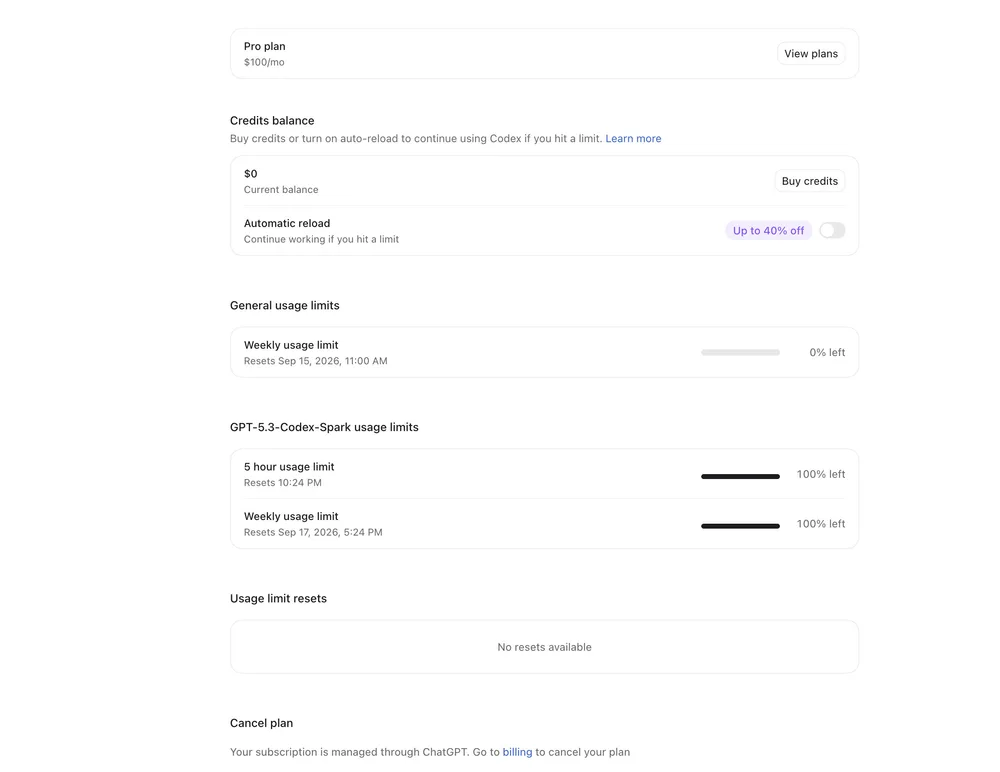
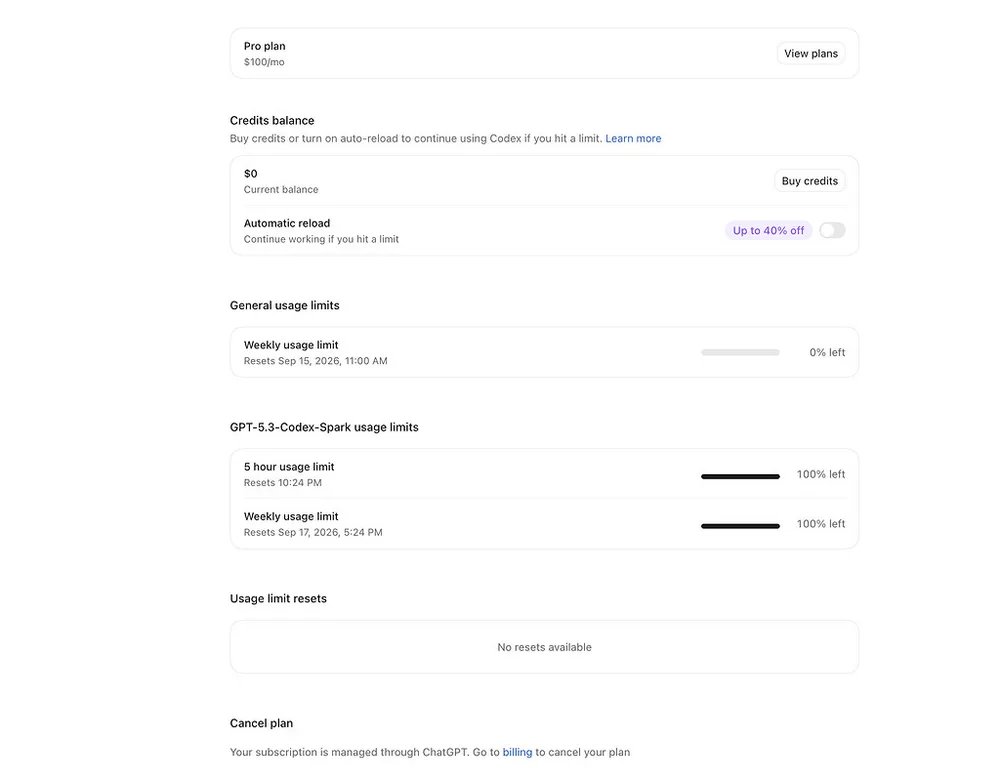
I've seen the same thing happen to half the team here when we blasted through our credits during a Codex-heavy sprint last month. The reset button in Desktop Settings > Usage is the more reliable path, but only if you're actually on the Desktop app (v1.40+) and not the web client. The web UI flat-out doesn't expose it.
One thing most people miss: the instant reset purchase only appears for accounts that are both (a) on a qualifying plan and (b) have actually tripped the weekly throttle — not just approached it. If your meter shows 98% used but you haven't fully capped out, the checkout option won't materialize. You have to genuinely hit the wall first.
Also worth checking: if you're on a Teams or Enterprise org account, even as the billing owner, the individual reset flow is often suppressed. The Help Center article quietly footnotes that it's a personal-account feature.
As for your Pro 20x upgrade showing "temporarily disabled" — that's a separate mess. OpenAI's been throttling higher-tier sign-ups intermittently since the GPT-5 rollout, citing capacity allocation. It's not you, it's them playing whack-a-mole with demand.
What usually fixes it
1. Quit the Desktop app entirely, then relaunch — the banner sometimes needs a cold restart to catch up with your current usage state.
2. Force-refresh the web client (Cmd/Ctrl+Shift+R) and check Usage settings again. Sometimes the stale UI just needs to re-poll.
3. Try the upgrade path on a different browser or incognito window. The "temporarily disabled" message has a habit of being session-cached and clearing on a fresh load.
On the migration threat
I get the frustration. We flirted with moving our pipeline to Claude after similar rate-limit theater last quarter. Two honest caveats: Claude's Sonnet 4 has its own usage tiers that aren't dramatically more generous for burst workloads, and their weekly reset model is structured differently (you burn through a pool, then wait). If your 5-minute workloads are latency-sensitive and credit-gated, the grass isn't necessarily greener — but it's worth testing a small batch before pulling the plug entirely.
The reset option's invisibility is a real gap in OpenAI's UX, not a feature you're missing. Until they reconcile the Desktop vs. web parity, the cold-restart + Usage settings route is your most consistent bet.
All Replies (7)
Want a live back-and-forth? Join the global AI chat room — login to talk.
This burned me because that in-app banner is basically nonexistent for me. The desktop app usage settings are way too buried to be useful.
Spiteful that the in-app banner is so flaky. It shouldn't take a Help Center guide just to find a basic purchase button.
This burned me because the in-app banner is basically a lottery. I've spent way too much time refreshing usage settings for nothing.
Spiteful that the in-app banner is so flaky. That button should be a permanent fixture in Usage settings instead of being a ghost.
This burned me because that in-app banner is completely useless when you're actually mid-conversation.
Spiteful that the in-app banner is flaky when you're actually in the middle of a conversation. It's such a broken user experience.
Relief! I finally found that missing button in Usage settings after refreshing my desktop app three times.