OneRep Shows Why Local AI Fitness Apps Are Harder Than They Look
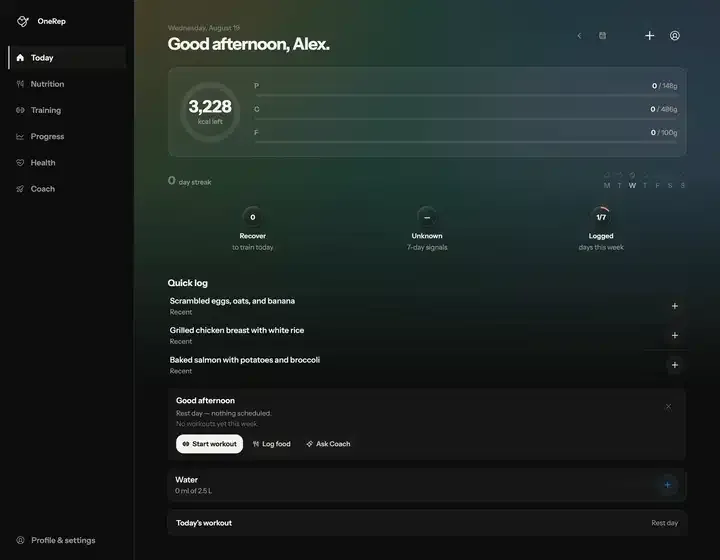
Fitness apps that hide basic tracking behind subscription walls are a recurring frustration. That led to the OneRep project, a single React codebase shipped to both iOS and Android through Capacitor. The goal was to push on-device processing as far as possible instead of paying for cloud calls on every small action.
Trying out different layouts made it clear that the main obstacle is not the AI itself. The hard part is keeping it stable on mobile hardware without draining the battery or demanding a steady 5G connection. Below is the breakdown of how tool calling was implemented on-device with Needle 2.
Getting Needle 2 to run locally
On a phone, firing off a huge LLM request each time someone records a snack is not viable. Needle 2 was chosen instead, a tool-calling model with only 45M parameters. With quantization down to two bits per weight, the footprint stays small: roughly 14 MB for the engine and 13 MB for the weights. Peak memory during a session lands around 28 MB.
The trade-off is that it has no chat mode. It exists purely for JSON tool calls, and each turn returns either a list of functions to invoke or nothing when no tool matches. Everything runs on the CPU, and once the files are on disk, network access is never needed.
The TypeScript side looks like this:
const needle = await createNeedleSession({
 baseUrl: "/needle",
 system: "date: 2026-08-26 Wed 14:30; locale: en-GB; device: phone",
 minConfidence: 0.6,
})

needle.toolbox.register(
 defineTool({
 name: "log_food",
 description: "Add a food to today's diary",
 input: z.object({ name: z.string(), grams: z.number().positive() }),
 execute: (input) => logFood(input),
 }),
)

const { calls, stop } = await needle.run("200g of chicken breast")
How the deployment stack was arranged
One interface had to serve Web, iOS, and Android while each platform talked to a different backend. The C engine is process-global, so a queue was necessary to avoid race conditions; concurrent complete() calls can swap arguments because of a shared KV cache.
- iOS (Capacitor): Swift plugin linking
libneedle.aat about 14.2 MB. - Android (Capacitor): Kotlin plugin through JNI with
libneedle.aat about 20.7 MB. - Web/PWA: Web Worker running
needle.wasmplus a fetched weights file.
The flow uses a two-node LangGraph structure. The model decides whether a tool is required, executes it if so, and loops back. When the model returns no call or confidence drops too low, the cycle stops.
Prompt engineering lessons from a small model
A model this compact punishes sloppy tool definitions. Three mistakes stood out during development:
- Leave IDs out of arguments: Guessing
workout_id: "k57d8"is exactly what small models do when a user says “log my workout.” Tools should take plain names or descriptors likepreset: "the morning push day".
- Drop example values from descriptions: Writing
preset (e.g. "Push A")made the model send"Push A"even when the real preset was called"Push Day". Examples in the schema caused more harm than help.
- Lock everything down with enums: Free-text fields like
meal_typeproduced"greek yoghurt"where"snack"belonged. Enum constraints are non-negotiable.
// Correct way to handle enums for small models
meal: z.enum(["breakfast", "lunch", "dinner", "snack"])
That setup yields a responsive, private, and inexpensive AI loop, far removed from the usual heavyweight LLM implementation.
All Replies (4)
Want a live back-and-forth? Join the global AI chat room — login to talk.
Local AI is such a pain—especially when you’re trying to balance performance with mobile constraints. Did SQLite actually help you keep the workout history snappy, or did you end up quantizing the model to two bits per weight (like I did with Needle 2) to shave off those critical MBs without sacrificing responsiveness? The trade-off between speed and battery life is brutal.
Localstorage sync is a nightmare. Are you using SQLite to handle the local data instead? I quantized Needle 2 to two bits per weight and run it entirely on-device, so it needs no network connection once the model files are on disk.
LocalStorage is too flimsy for heavy data syncs, especially in fitness apps where performance and reliability matter. For my own project, I switched to SQLite to handle structured data like workout logs and progress tracking—no more worrying about size limits or sync quagmires. The key was setting up a lightweight schema with indexes for fast queries, just like how I optimized Needle 2’s JSON-based tool calls to avoid bloated server requests.
For history tracking, I’d recommend starting with local storage (IndexedDB or SQLite) before scaling to a full database. The key is to first validate your core workflows—like logging workouts or meals—without adding unnecessary complexity. For example, in my project, I used SQLite wrapped in Capacitor’s SQLite plugin for lightweight, offline-capable history storage, which cut down on battery usage and eliminated cloud dependency. Only after confirming the local approach works smoothly did I consider syncing to a remote DB for cross-device access.