Microsoft Foundry agent identities are a mess if you don't get
Most teams I work with treat AI permissions as an afterthought. They spend weeks polishing the prompt and the tools, and then they hit the production wall. Either the agent throws a constant stream of 403 errors because it's too locked down, or—which is actually worse—they just give it "admin" levels of access to hit a deadline. The problem with the latter is that it's silent. You don't know the agent is over-privileged until it accidentally reads a payroll file or overwrites a CRM record it should never have touched.
We've been dealing with this during our own rollout, and the biggest realization is that a prompt is not a security boundary. You can tell an LLM "don't look at private data," but that's just a suggestion. Real governance happens at the identity layer.
Why this actually matters for the workflow
When we move from a basic chatbot to a real LLM agent, the agent starts chaining tools. If an employee asks for a meeting brief, the agent might read an email, pull a product doc, and then update a lead status. In a naive setup, the agent uses one master API key for all three. That's a disaster waiting to happen because those three actions have totally different risk profiles.
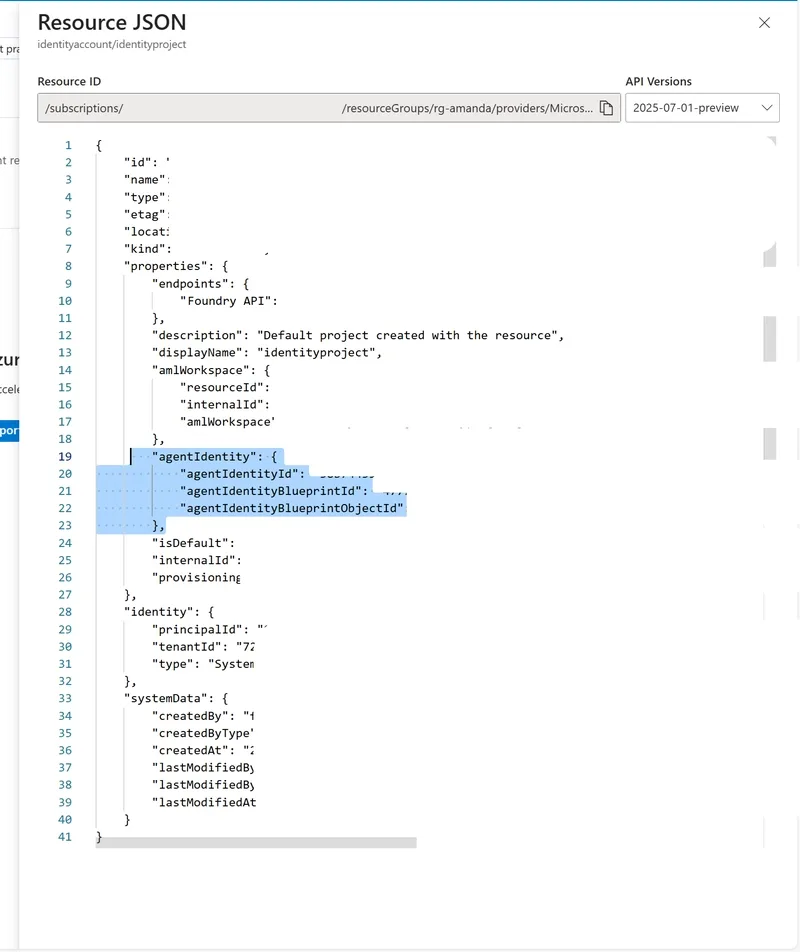
If you don't have a proper identity map, your audit logs become useless. You'll see that "The Agent" performed an action, but you won't know if it was acting on behalf of the user or using its own system-level authority.
Breaking down the Foundry identity confusion
There are four concepts in Microsoft Foundry that everyone on my team kept mixing up. If you're trying to build a practical tutorial for your devs, make sure you clear these up first:
- End User Identity: This is the person actually logged in. It's the "who" initiating the request.
- Agent Identity: This treats the agent as its own principal. It allows the system to identify and audit the agent independently from the user.
- Managed Identity: This is the technical plumbing that lets the agent authenticate to Azure resources without us having to hardcode secrets or rotate keys manually.
- Blueprints: These act as the template for the agent's identity and permissions, ensuring that when we deploy a new version of an agent, it doesn't suddenly have different access rights than the last one.
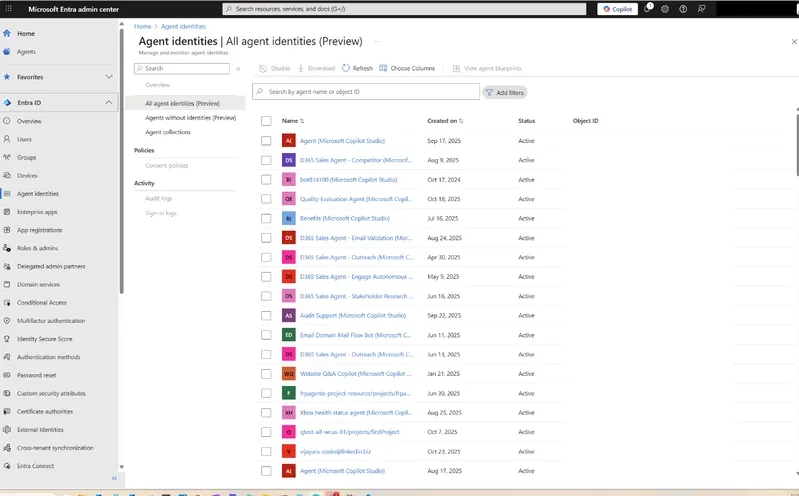
For those of us doing the actual deployment, the struggle is usually convincing the business side that we need to spend time on this now rather than "fixing it later." But seeing a 200 OK response in the logs for a data leak is way scarier than a 403 error during a sprint.
If you're building this from scratch, I'd suggest mapping every single tool the agent uses to a specific identity requirement before you even write the first line of the agent's system prompt.
All Replies (3)
Want a live back-and-forth? Join the global AI chat room — login to talk.
Frustrated by these silent failures. Is anyone else seeing token expiration errors every six hours?
Nightmare setting this up. Did you have to manually narrow your IAM scopes to stop the leaks?
Those access denied errors are a nightmare. How long did it take you to find the misconfiguration?