SigNoz for AI Agent Observability: A Real-World Deployment
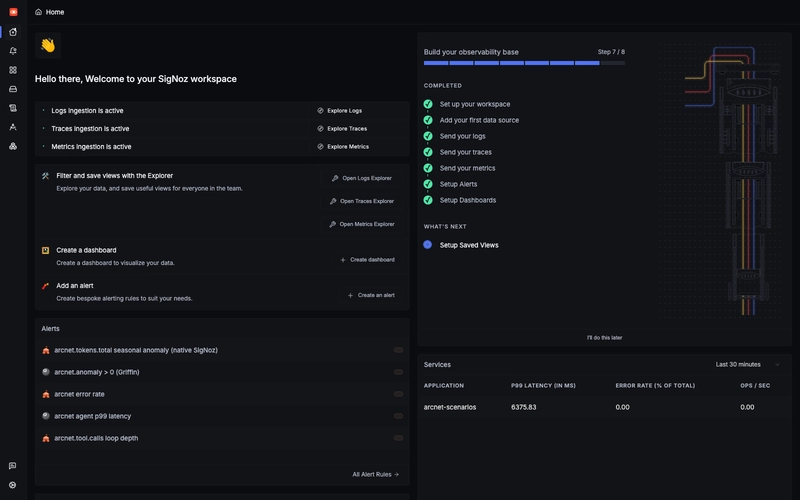
The biggest problem with deploying AI agents in a production environment is that when an agent fails, you usually get a trace viewer and a shrug. Standard software has regression tests and staged rollouts; agents usually just have "vibes." To actually prove a fix works, I decided to wire a fleet of agents into a self-hosted SigNoz instance.
The Technical Stack
I used Agno for the agents, wrapped in an in-process SDK that handles OpenTelemetry instrumentation and unplug-ai guardrails at four specific checkpoints: input, retrieved content, tool calls, and final output. The traces flow to SigNoz via OTLP, with a FastAPI server and React UI handling the data readout.
Getting SigNoz running was surprisingly painless via Foundry.
apiVersion: v1alpha1
kind: Installation
metadata:
 name: signoz
spec:
 deployment:
 flavor: compose
 mode: docker
 signoz:
 spec:
 image: signoz/signoz:v0.133.0
foundryctl cast -f casting.yamlThe "Invisible Failure" Trap
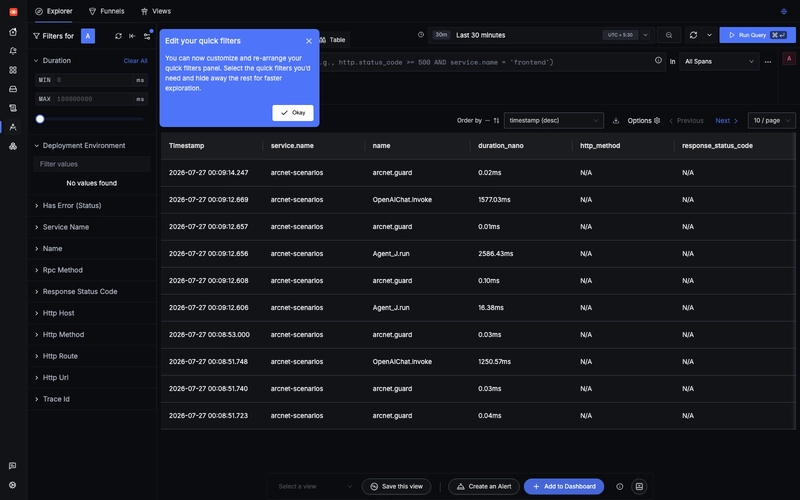
Here is where I almost wasted a week: assuming the instrumentation followed the GenAI spec. I spent time drafting dashboard queries for gen_ai.usage.input_tokens before the system was even live.
When I actually ran the agents, I discovered that openinference-instrumentation-agno uses OpenInference conventions, not the standard gen_ai.* attributes. The result? My dashboards didn't crash—they just stayed empty. Empty charts are a nightmare because they don't trigger errors; they just lie to you.
The fix was a deep dive into raw spans. I spent an evening manually verifying every attribute key in the SigNoz trace view. If you're setting up an AI workflow, send one real request and manually inspect the attribute names before you write a single query.
Turning Guardrails into Data
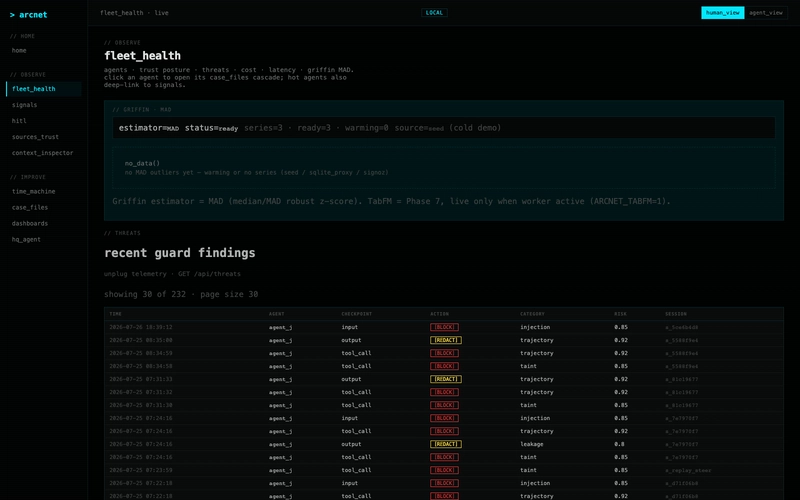
A boolean "true/false" from a guardrail is useless for monitoring. You can't alert on a boolean if you don't know why it triggered. To make this observable, I started pushing structured span attributes for every verdict:
span.set_attribute("arcnet.guard.checkpoint", "tool_call")
span.set_attribute("arcnet.guard.action", "block")
span.set_attribute("arcnet.guard.rule", "retrieved_source_in_side_effect")
span.set_attribute("arcnet.guard.risk_score", 0.85)
This changed everything. I caught a case where an agent scraped a page containing a hidden prompt injection. The ingest scan passed, but the "tainted" content triggered a block when the agent tried to execute a send_email call. Because I had the checkpoint as an attribute, I could see exactly where the failure happened. Without that telemetry, I would have been guessing.
All Replies (3)
Tracing prompt versions is a lifesaver. How are you tagging the different versions in SigNoz?
Runaway costs are terrifying. Do you have a specific token threshold that triggers an alert for you?
Custom attributes are a game changer for debugging agent loops. Which specific tags worked best for you?