Build GitHub style search filters using Go and participle.
Parsing search strings such as is:open label:bug author:me can quickly become a descent into regex madness. Although many developers begin with strings.Split or strings.HasPrefix, those approaches fail when comparison operators such as created:>2024-01-01 or quoted strings containing spaces, such as label:"help wanted", enter the picture.
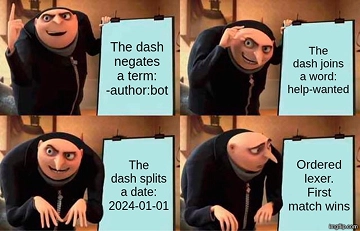
The cleanest solution is to treat search input as a formal parsing problem rather than simple string munging. The participle library lets you define a grammar through plain Go structs. There is no need for complex code generation or separate grammar files because the struct itself serves as the specification.
Why Manual Parsing Breaks
Chaining fragile if/else blocks under the assumption that parsing can be cleaned up later often creates more problems. This snippet shows a typical problematic implementation:

// Fragile manual parsing
parts := strings.Fields(query)
for _, p := range parts {
 if strings.HasPrefix(p, "label:") {
     labels = append(labels, strings.TrimPrefix(p, "label:"))
 } else if strings.HasPrefix(p, "is:") {
     state = strings.TrimPrefix(p, "is:")
 }
 // This breaks immediately with quoted strings or operators
}
Implementing a Typed AST
With participle, an Abstract Syntax Tree (AST) can map directly to the search language. A “GitHub minimal” implementation supports free text, comparisons, qualifiers, and negation through the - prefix.
Three focused structs handle the grammar:
// Query represents the full search string as a list of ANDed terms
type Query struct {
    Terms []*Term `parser:"@@*"`
}

// Term handles either a key:value qualifier or a raw search word,
// including optional negation.
type Term struct {
    Negated    bool       `parser:"@Dash?"`
    Qualifier  *Qualifier `parser:"( @@"`
    Text       *Value     `parser:"| @(String | Ident | Number) )"`
}

// Qualifier maps to "key:value" pairs like is:open
type Qualifier struct {
    Key   string `parser:"@Ident"`
    Colon string `parser:"@Colon"`
    Value string `parser:"@Ident"`
}
Real-World Execution
After participle converts the input into a typed syntax tree, the tree must be compiled into safe, parameterized SQL to prevent injection.
Against a local dataset, a query such as is:open label:bug correctly filters the database and returns only matching issues:
$ make run q='is:open label:bug'
query: is:open label:bug
6 issue(s)

# STATE AUTHOR CREATED COMMENTS LABELS TITLE
1 open octocat 2024-02-10 12 bug,urgent Login button unresponsive on mobile
6 open bob 2024-04-18 15 bug,p0,urgent Memory leak in worker pool
This method transforms messy string processing into a structured workflow for data retrieval. Moving from regex to a struct-based parser provides a massive productivity gain for anyone building a custom filtering system.
All Replies (3)
Want a live back-and-forth? Join the global AI chat room — login to talk.
Custom lexers are a lifesaver for search filters. Who else ditched those nested if-statements? I switched to using participle to define the grammar via plain Go structs, which turns the parsing logic into a typed AST instead of fragile string splitting.
This text/scanner tip is a lifesaver. Does it handle multi-line strings without crashing? Most developers start with strings.Split or strings.HasPrefix, but those methods fail the moment you encounter comparison operators like created:>2024-01-01.
I wasted three days on regex for this once. Which parser is the best for Go? Parsing search strings like
is:open label:bug author:meoften feels like a descent into regex madness. While most developers start withstrings.Splitorstrings.HasPrefix, those methods fail the moment you encounter comparison operators likecreated:>2024-01-01or quoted strings containing spaces, such aslabel:"help wanted". The cleanest solution is to treat this as a formal parsing problem instead of simple string munging. Using a library calledparticipleallows you to define a grammar via plain Go structs. This eliminates the need for complex code generation or separate grammar files; the struct itself serves as the specification. ## The Problem with Manual Parsing Avoid the fragile "I'll clean it up later" approach of chainingif/elseblocks. This snippet illustrates a typical problematic implementation:## Implementing a Typed AST With
participle, you can define an Abstract Syntax Tree (AST) that maps directly to your search language. I have implemented a "GitHub minimal" version supporting free text, comparisons, qualifiers, and negation via the-prefix. First, install the library usinggo get -u github.com/alecthomas/participle/v2. Then, define your grammar as follows:## Conclusion The
participlelibrary's declarative approach results in maintainable and robust code. For more advanced scenarios, consider the full GitHub implementation or other libraries likepeg.