Huh? lets you replay the last 30 to 120 seconds of system audio with a hotkey
I got tired of missing URLs or specific names during Zoom calls because I was too slow with my notes. Instead of scrubbing through a two-hour recording later, I built a macOS menu bar app that keeps a rolling audio buffer in RAM. When you hit ⌥⌘H, it instantly replays the last few seconds.
How the audio buffer works
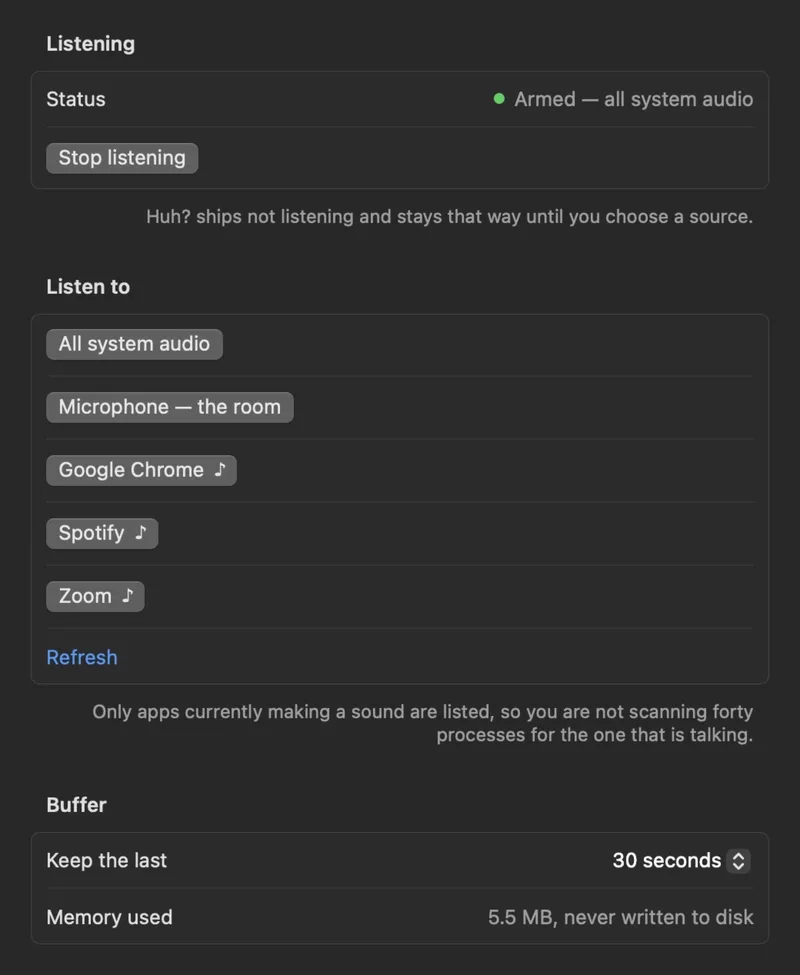
The app doesn't write to disk unless you manually hit ⌘S to save a clip. It captures audio from three possible sources: a specific app (like Chrome), the entire system output, or the microphone. I set the default buffer to 30 seconds, but you can push it to 2 minutes.
The playback engine uses AVAudioEngine to handle the buffer. I spent a fair amount of time making sure that when you slow down the playback to 0.75x or 0.5x, it doesn't shift the pitch and make everyone sound like they're underwater.
Why on-device transcription matters
I explicitly avoided cloud-based tools like Otter because I didn't want a bot joining my calls or my audio hitting a server. Everything in Huh? stays local.
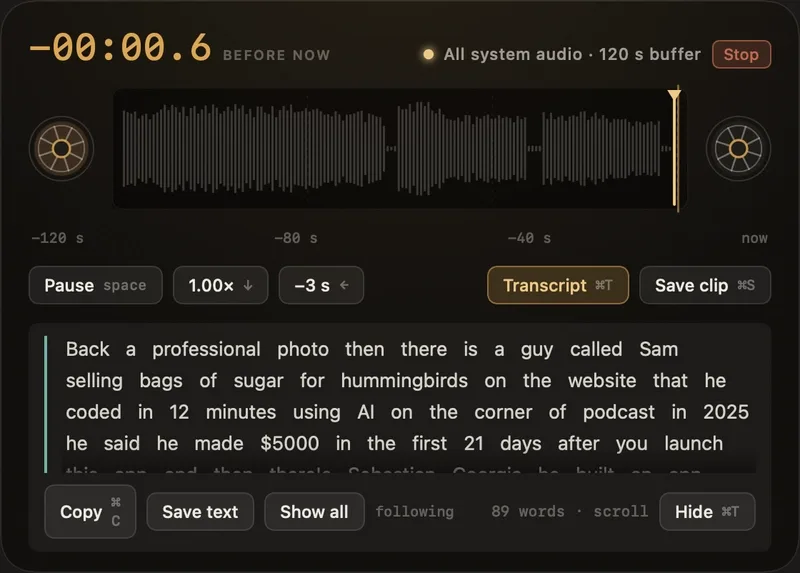
If you need a transcript of what was just said—useful for those "Wait, how do you spell that?" moments—the app uses a local Whisper model. The only network request the app ever makes is the initial download of the model file from the settings menu.
Why I skipped existing alternatives
I tried to talk myself out of building this by looking at what was already available, but nothing quite fit:
- Screen Recording: Too heavy. You have to remember to start it before the event. Huh? is retroactive; the buffer is always running.
- Cloud Transcribers: Too much friction. I didn't want another account or a third-party bot in my meeting.
- Native Rewind: YouTube has it, but Zoom and most podcast apps don't. A menu bar utility works globally across any app.
The technical setup and hotkeys
The workflow is designed to be invisible until you need it.
1. Select Source: Pick between "One App," "Everything," or "Microphone."
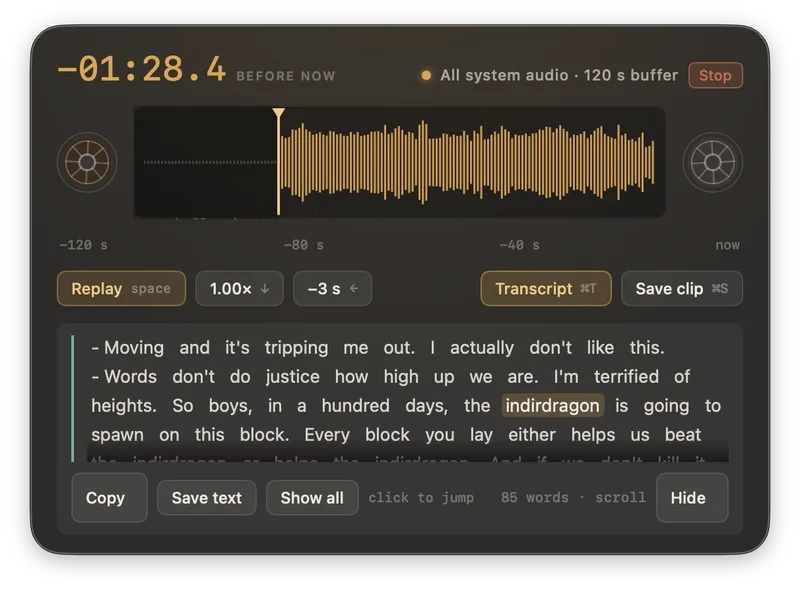
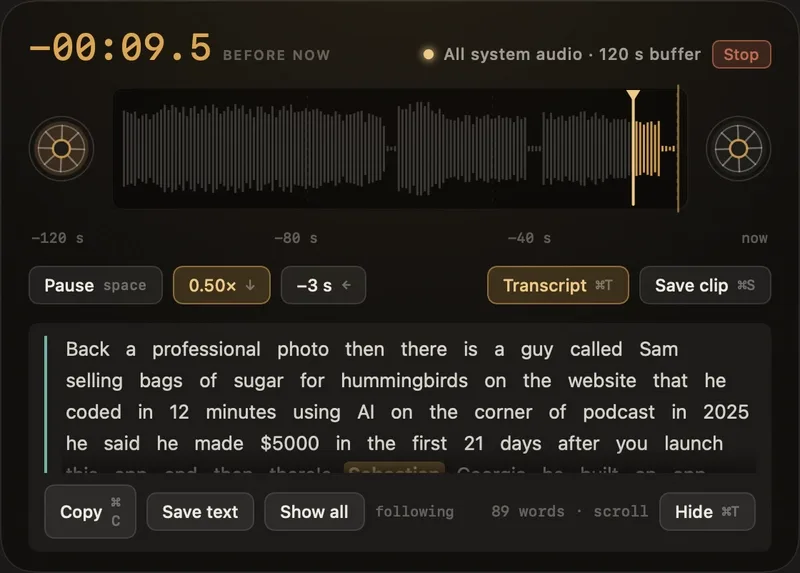
2. Trigger Replay: Press ⌥⌘H. This opens a HUD and immediately starts playing from the end of the buffer (the exact moment you stopped listening).
3. Adjust Speed: Toggle between 1x, 0.75x, and 0.5x speeds within the HUD.
4. Export: Use ⌘S to dump that specific buffer segment to a file.
The biggest hurdle during development was managing the RAM overhead for the rolling buffer while ensuring the latency between the hotkey press and the audio playback was near zero. If there's a lag of even half a second, the "instant" feel is gone.
All Replies (3)
I want to try this tonight. Did you hit a wall with Whisper.cpp or was it a memory leak?
Doubtful. This sounds like marketing fluff. Does it actually work with Python 3.12 or is it just a demo?
Finally, a way to clear this clutter. I want to try this tonight, but will it work with 7zip?