Taming Unsafe Rust: Using statvfs to Query Filesystem Stats
When you first start with Rust, the "Safety" guarantee feels like a warm blanket. But as soon as you need to touch the OS kernel or read system-level metrics, you inevitably hit the wall: unsafe. I recently dove into the world of system calls to track disk usage, and it turned out to be the perfect exercise in understanding how Rust interacts with C libraries.
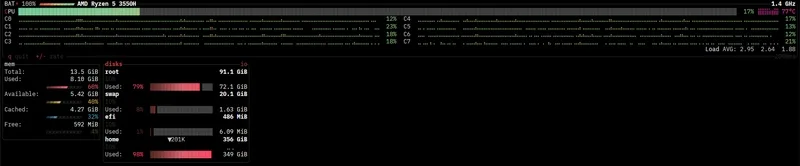
The goal was simple: get the available space on a mount point. In C, this is a straightforward call to statvfs. In Rust, because this involves calling a foreign function (FFI) and dealing with raw pointers, you have to wrap it in an unsafe block.
For those who haven't tried this, you'll typically be looking at the libc crate. If you're on a Linux environment, you'll need to add libc = "0.2" to your Cargo.toml. The core of the operation involves the statvfs function, which populates a struct with filesystem information.
Here is the technical hurdle: statvfs doesn't return a fancy Rust Result; it returns an integer. If it returns 0, the call succeeded. If it returns -1, you have to check the global errno to figure out what went wrong. This is a classic C pattern that feels alien in a language where Option and Result are king.
When I first implemented this, I ran into a common pitfall with memory initialization. To get the data, you have to pass a pointer to a statvfs struct. If you don't initialize that struct correctly, or if you try to access it outside the unsafe block without proper wrapping, the compiler will rightfully scream at you.
The logic follows this flow:
1. Initialize a libc::statvfs struct.
2. Call libc::statvfs("/path/to/mount", &mut stats) inside an unsafe block.
3. Check if the return value is -1.
4. If successful, calculate the free space by multiplying f_bavail (free blocks available to non-superusers) by f_frsize (fragment size).
The "aha!" moment comes when you realize that unsafe isn't about disabling the type system—it's about telling the compiler, "I have verified the memory invariants that you cannot see." For example, ensuring the path string is null-terminated (using CString) is critical. If you pass a standard Rust &str directly to a C function expecting a char*, you're asking for a segmentation fault because Rust strings aren't null-terminated.
One specific detail to watch for is the difference between f_bfree and f_bavail. If you're writing a tool to alert a user when their disk is full, always use f_bavail. Most filesystems reserve a small percentage of blocks for the root user; if you use f_bfree, your app will report available space that the user cannot actually write to, leading to "Disk Full" errors even when your code says there are 2GB left.
Moving from high-level abstractions to raw system calls is a rite of passage in Rust. It forces you to think about the layout of memory and the actual cost of an OS context switch. While the unsafe block might feel intimidating at first, it's the bridge that allows Rust to be as performant and flexible as C while maintaining the safety of a modern language.
All Replies (4)
I spent hours fighting with f_favail before I figured it out. Did anyone else hit that inode wall?
Such a relief. Did you find a better libc crate for those filesystem stats?