Web Components: A Beginner-Friendly Deployment Guide
Why is it that "simple" installation docs for web components assume everyone lives and breathes the npm ecosystem? I recently dealt with a friend who knows HTML/JS but treats npm install like it's an ancient incantation. He wanted a GitHub component in a plain HTML file, but the docs just said import 'some-component', leaving him staring at his index.html wondering where the magic happens.
Since most docs are written by people who forget what it's like to not use a build tool, here is a practical tutorial for anyone who just wants the thing to work.
The Setup
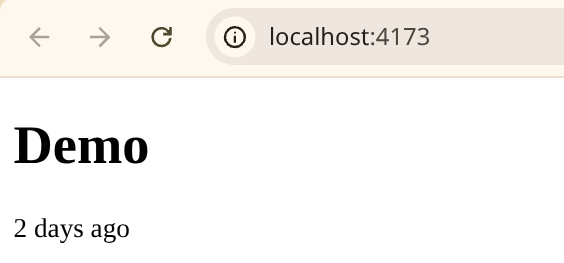
Let's use @github/relative-time-element as the guinea pig. The goal is to use a tag like <relative-time> and have it actually render "2 days ago" instead of just sitting there like a broken piece of HTML.
First, you need Node.js to get npm. If you don't have it, grab it via Homebrew (Mac), winget (Windows), or your Linux package manager.
Then, because browsers aren't magically capable of resolving bare npm imports, we need a bundler. Vite is the current gold standard for not making your life miserable.
mkdir demoproject
cd demoproject
npm create --yes vite@latest . -- --template vanilla --no-interactive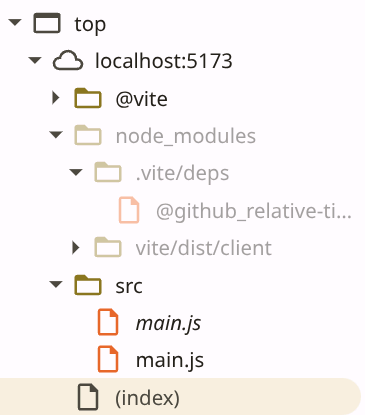
Now, clear out the Vite boilerplate because it's just noise:
rm index.html
rm -R src/*
Now we actually install the component:
npm install @github/relative-time-elementThe Implementation
This is where the "where do I put the code?" confusion usually happens. You need a JS entry point to import the component, and an HTML file to load that JS.
Create src/main.js:
import '@github/relative-time-element';Create index.html in the root:
<!DOCTYPE html>
<html>
  <body>
    <relative-time datetime="2023-10-01">demo</relative-time>
    <script type="module" src="/src/main.js"></script>
  </body>
</html>
The type="module" part is critical. Without it, the browser will look at that import statement in main.js and have a complete meltdown.
Going to Production
If you try to just open index.html in a browser, it'll probably fail. You need to build it for the real world:
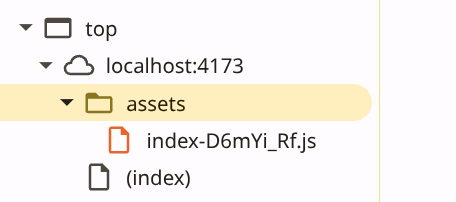
npm run buildThis dumps everything into a dist/ folder. The JS is minified and obfuscated (which is great for performance, but a nightmare for debugging). To see if it actually worked without deploying to a real server, use:
npm run previewThis spins up a local server so you can verify the component is actually rendering and not just acting as a fancy <span>.
I just toss the script tag in index.html to avoid the stress. Anyone else doing that?