PenEcho: A Complete Guide to Canvas-Based AI
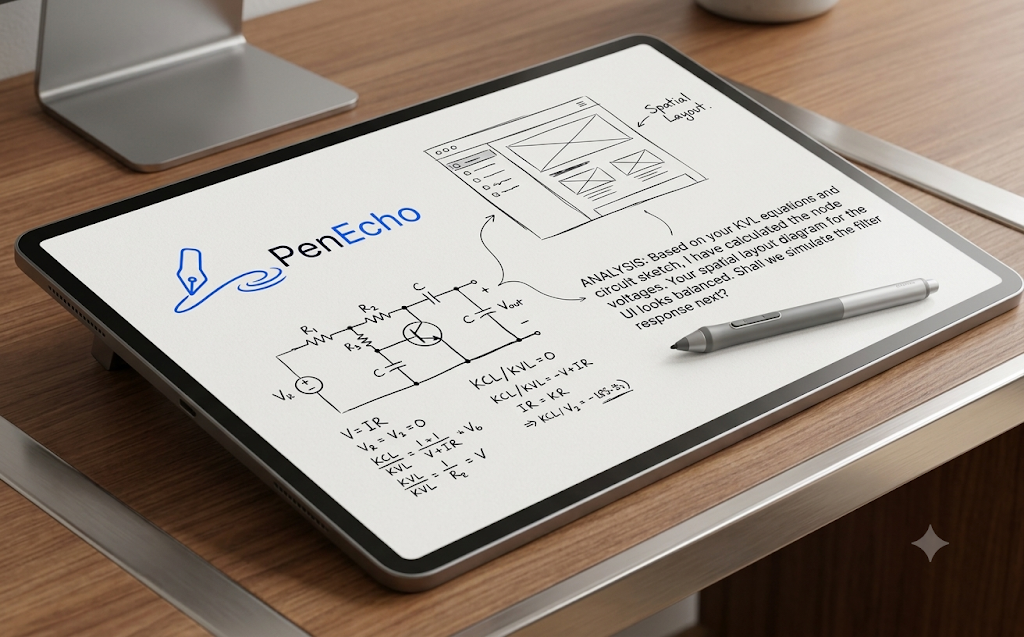
Text prompts are often too limiting when you're trying to explain a complex layout or a mathematical formula. PenEcho fixes this by letting you sketch, write equations, or draw diagrams directly on a canvas, which then acts as the primary input for the LLM. It basically turns your visual scribbles into a direct conversation with the model.
For anyone tired of writing "a box on the left with an arrow pointing to a circle on the right," this is a massive upgrade to the standard AI workflow.
Getting Started with the Visual Workflow
Since this is an open-source project, the setup is straightforward for those comfortable with a local environment.
1. Environment Setup: Clone the repository and install the dependencies. You'll need a compatible LLM API key (like GPT-4o or Claude 3.5 Sonnet) that supports vision capabilities.
2. Canvas Integration: Launch the interface. Instead of a chat box, you'll see a drawing area.
3. Input Method: Draw your concept or write your equation.
4. Execution: Hit the send button; PenEcho captures the canvas state as an image and sends it to the model with the necessary context.
Why this beats standard prompting
- Spatial Reasoning: You can define positions and relationships visually, which LLMs usually struggle to grasp via text.
- Math & Logic: Writing an equation by hand is ten times faster than fighting with LaTeX syntax in a prompt box.
- Rapid Prototyping: You can iterate on a diagram in seconds and ask the AI to "code this UI" or "solve this circuit" without re-typing the whole description.
Finally! I'm sick of fighting with text flowcharts. Does PenEcho handle complex logic loops?