Mapbox GL JS: Turning Cities into 3D Cutscenes
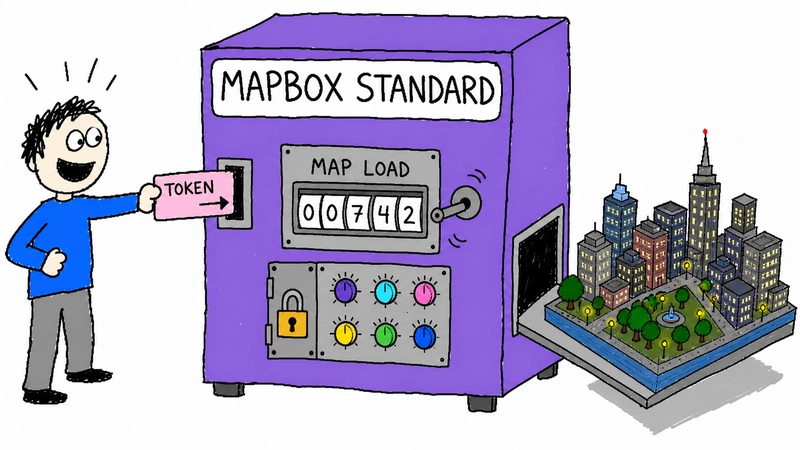
Mapbox Standard can turn a blank
Use Mapbox when you need a "wow" factor quickly. If the map is core infrastructure that you must own entirely or restyle at a granular level, you'll need to look deeper into the configuration or alternative renderers.
Next
AI Endpoints vs Traditional APIs: The Architecture Shift →
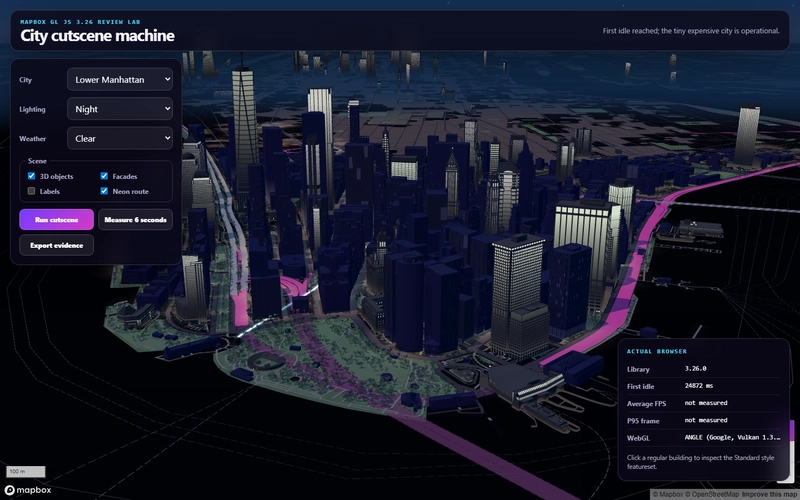
div into a cinematic, Gotham-style city scene almost instantly. If you need a high-fidelity 3D urban environment for a product surface without spending weeks sourcing building footprints or manually setting extrusion heights, this is the fastest route.The "cinematic" look is surprisingly easy to achieve. By combining a steep camera pitch, a specific lighting preset, and the standard style, you get 3D buildings, landmarks, and ambient occlusion out of the box.
Here is the basic configuration to get that dramatic, stylized city look:
const map = new mapboxgl.Map({
 accessToken: publicToken,
 container: "map",
 style: "mapbox://styles/mapbox/standard",
 center: [-74.0109, 40.7076],
 zoom: 15.4,
 pitch: 73,
 bearing: 28,
 antialias: true,
 config: {
 basemap: {
 theme: "custom",
 lightPreset: "night",
 show3dObjects: true,
 show3dBuildings: true,
 show3dLandmarks: true,
 show3dTrees: true,
 show3dFacades: true,
 showRoadLabels: false,
 colorBuildings: "#6962d8",
 colorMotorways: "#f04fc6"
 }
 }
});
Real-world Trade-offs
While the visual output is top-tier, there are a few technical constraints to keep in mind for your AI workflow or app deployment:
- Control vs. Convenience: The "Standard" map is a maintained basemap. You can tweak exposed properties and use "slots" for your own layers, but you don't have total "LEGO-style" control over every internal layer.
- Licensing: Mapbox GL JS 2.x and 3.x use a commercial SDK license. If your project requires a fully open-source renderer or provider portability, MapLibre GL JS is the better alternative.
- Pricing: It's based on map loads (50k free monthly, then $5 per 1k). This is generally predictable but still a dependency to track.
Final Verdict
- Initial Setup: Excellent (just needs a token).
- 3D Quality: Excellent in major cities; varies in smaller regions.
- Animation: Top-notch
flyToand camera controls. - Portability: Weak (vendor lock-in).
Use Mapbox when you need a "wow" factor quickly. If the map is core infrastructure that you must own entirely or restyle at a granular level, you'll need to look deeper into the configuration or alternative renderers.
Free AI toolbox — all free to use
All Replies (4)
J
Jamie67
Novice
7/23/2026
How's the performance on older mobile browsers when you've got a lot of 3D layers active?
0
M
used this for a side project last month, way faster than manually tuning 3d layers.
0
J
Does it actually handle custom building heights well, or is it just standard OSM data?
0
R
It handles custom heights fine if you've got the data in your source, but the performance hit is real.
0