How to Control Multiple Browser Windows with JS
window.open() method combined with window naming allows you to treat separate browser instances as a coordinated layout.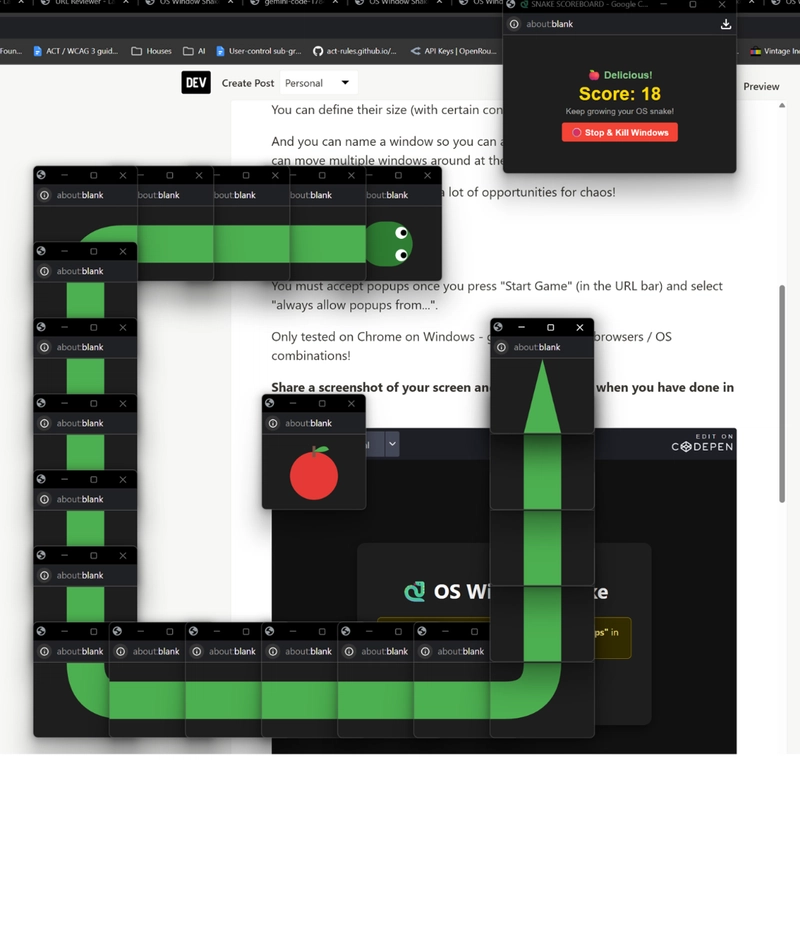
I recently saw a wild implementation where this was used to render a game of Snake using 576 individual browser windows. By defining the size and position of each popup, the developer effectively turned the OS desktop into a low-resolution display.
The Technical Logic
The "chaos" works because of two specific browser behaviors:
1. Window Naming: When you call
window.open(url, name), the name parameter allows you to reference that specific window later. If you try to open a window with a name that already exists, the browser redirects the existing window instead of opening a new one.2. Positioning: You can pass
top and left coordinates in the window features string to snap windows to specific pixels on the screen.Practical Application: The "Anti-Iframe" Workflow
Beyond the novelty of window-based games, this is a legitimate architectural choice for internal tools. Iframes are often blocked by
X-Frame-Options: DENY or SAMEORIGIN headers, making it impossible to embed certain third-party sites.A real-world AI workflow or QA tool can bypass this by using a "Controller/Viewer" setup:
1. Controller Window: A small window positioned on the left containing a queue of URLs or a list of prompt results.
2. Viewer Window: A larger window on the right.
When you click a link in the Controller, it triggers a command in the Viewer:
// Example of controlling a named window
const viewer = window.open('', 'viewerWindow', 'width=800,height=600,left=400');
// Later, to update the content without opening a new popup:
window.open('https://example.com', 'viewerWindow');
This setup is significantly more robust than iframes for auditing third-party sites or managing complex LLM agent outputs that require full browser capabilities. It essentially mimics a desktop application environment using nothing but standard browser APIs.
For anyone building a custom dashboard or a manual verification tool, this is a beginner-friendly way to handle external site integration without fighting with CORS or iframe restrictions.