Gemini Omni 1.1 Flash: A New Era for AI Video Generation and Editing
Gemini Omni 1.1 Flash merges video generation and editing into one workflow.
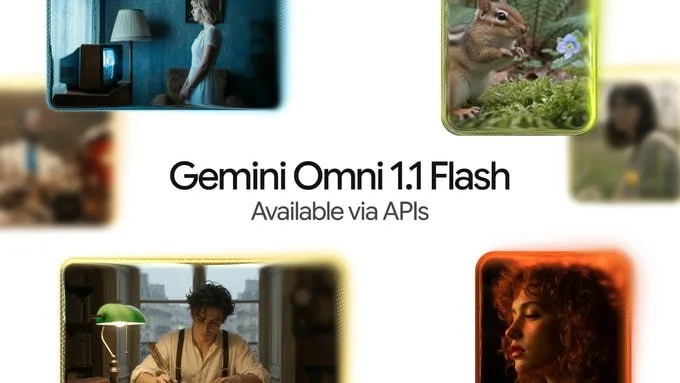
Lock motion before adding resolution. The 360p draft mode runs faster and costs less than the 720p standard, making it ideal for early concept checks. Google’s latest multi-modal model, Gemini Omni 1.1 Flash, bundles these tools into a single conversational interface for developers. It handles scene continuation, start and end frame specification, video references, 360p drafting, and 4K upscaling.
Scene continuity relies on analyzing roughly 10 seconds of prior footage. The model extends this clip in about 10-second chunks, reaching a total span of around 40 seconds. Props and lighting persist across segments instead of resetting. Five controls manage the process. Scene continuation keeps visual elements steady. Specifying start and end frames lets users bookend a shot while the AI fills the movement. Video references inject up to 3 seconds of source material to copy character shapes or action rhythms. 360p drafts provide quick, low-cost validation. Finally, 4K upscaling boosts final shots for high-quality delivery, though it is too heavy for iterative testing.
Clear prompts remain essential. Users must detail music transitions and scene shifts to prevent unwanted AI interpretations. Input videos for editing cap at roughly 10 seconds, producing outputs between 3 and 10 seconds. Longer stories still need manual scene breakdowns.
Pricing scales with resolution. Costs run from $0.03 per second for 360p to $0.30 per second for 4K. Plus, Pro, and Ultra subscribers get access, while enterprise teams integrate via the Agent platform. Developers find it in Google AI Studio. Veo’s Lite and Fast versions sell by the second, whereas Omni focuses on generative video and conversational editing. A Flow feature for scene continuation arrives later.
Verify prop continuity manually, as the model’s memory resets after approximately 40 seconds. Best practice validates continuity at 360p, locks camera moves with start and end frames, applies video references for key characters, and upscales to 4K only for final output.


Tagged 360p打样 4K超分 AI视频生成 Gemini Omni Veo 生成式视频 视频剪辑 视频续镜 谷歌AI 首尾帧
All Replies (0)
Want a live back-and-forth? Join the global AI chat room — login to talk.
No replies yet — be the first!