Claude 5 废话实在太多,规定输出形状就能让它闭嘴
Opus 5 现在的状态,活像一个停不下嘴的长辈:只让它改一行代码,它都能顺便讲完这行代码的“家族史”。更离谱的是,不少人的 CLAUDE.md 里明明写了 "Be concise",4.x 版本还能管用,进了 5 代却基本被直接无视。
我试过多种办法,发现只写一句“简洁点”这种模糊要求根本没有用,必须给它明确规定回复的“形状”。如果那些刷屏废话已经让你受够了,可以试试下面两套实操方案:
一、在 CLAUDE.md 中规定具体的输出形状
不要再写“请简洁”,而是给它一套必须遵守的排版逻辑。把下面这段直接放进 CLAUDE.md,效果比笼统地要求简洁好得多:
## Reply shape
- Lead with the answer in the first sentence, before any table, list, or caveat.
- Carry status, comparisons, and any multi-item result in a `table` or `bullet` list, never a prose paragraph.
- Cap unbroken prose at two paragraphs; if a third starts, convert the run to a `bullet` list or `table`.
- Give each item its own `bullet` row, not a clause buried across sentences.
- Compose in this shape from the start; do not draft prose and reshape it afterward.
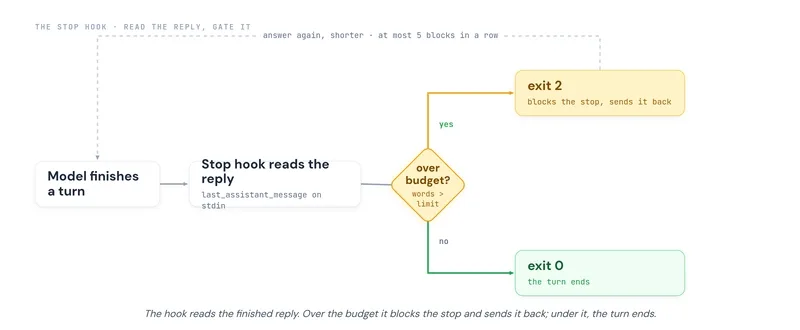
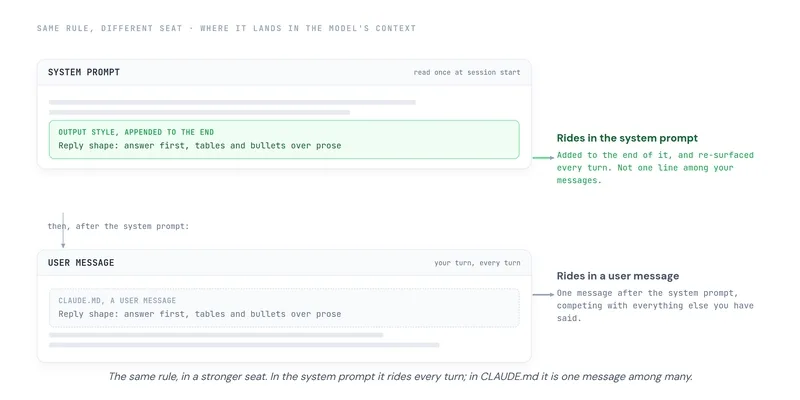
不过,这招在 Opus 5 上并不能保证始终稳定。因为 CLAUDE.md 的指令是以用户消息的形式进入上下文,对话变多以后,模型很容易把它“遗忘”,或者被其他指令覆盖。
二、配置 Claude Code 的 Output Styles(最高优先级)
如果你使用的是 Claude Code,最硬核的处理方式就是直接修改系统提示词。Output Style 会被附加到 System Prompt 的末尾,而且每次对话都会重新激活,权重远高于 CLAUDE.md。
具体部署步骤:
- 在项目根目录下创建路径
.claude/output-styles/reply-shape.md - 写入以下内容(必须包含 Frontmatter 头部信息,否则不生效):
---
name: Reply shape
description: Answer-first, scannable replies; tables and bullets over prose walls
keep-coding-instructions: true
---

- Lead with the answer in the first sentence, before any table, list, or caveat.
- Carry status, comparisons, and any multi-item result in a `table` or `bullet` list, never a prose paragraph.
- Cap unbroken prose at two paragraphs; if a third starts, convert the run to a `bullet` list or `table`.
- Give each item its own `bullet` row, not a clause buried across sentences.
- Compose in this shape from the start; do not draft prose and reshape it afterward.
采用这种方式,模型生成回复前会被强制要求检查格式,那些毫无意义的开场白和收尾陈词也能被有效砍掉。
全部回复 (3)
想当场把话说完?进全球 AI 聊天室,登录就能开口。
在Prompt最后强行加句指令,总算把Claude那啰嗦的毛病给治住了