DuckDuckGo’s AI Playground Lets You Test Claude and GPT Models Instantly
I finally found a way to bypass the endless "sign up with Google" and "add your credit card" loops that seem to plague every new LLM interface. If you are tired of being tracked or just want to test a specific model without committing to a subscription, DuckDuckGo has basically built a privacy‑first playground for AI experimentation.

Which AI Models Can You Switch Instantly?
It is essentially a clean, no‑nonsense wrapper that lets you swap between different heavy hitters in seconds. The biggest draw here isn't just the access—it's the privacy layer. Most mainstream AI interfaces are massive data collection engines, but this setup anonymizes your requests. By default, your chat history isn't sitting on their servers waiting to be used for training or profile building, which is a massive relief if you are testing sensitive code snippets or personal workflows.
I did a quick rundown of the current model lineup available on the platform to see what's actually worth your time:
Which Models Suit Different Everyday Workflows?
- GPT-5.6 Luna: This is the default setting and acts as the best all‑rounder for general reasoning and conversational tasks.
- GPT-5.4 mini: A faster, leaner version. It’s snappy, but be aware that the usage limits kick in much faster than the larger models.
- Claude Haiku 4.5: This is my personal favorite for quick logic checks. It feels incredibly responsive for a "mini" class model.
- Mistral Small 4: A great alternative if you want to see how European‑trained models handle specific linguistic nuances compared to the US giants.
- gpt-oss-120b: An interesting open‑source heavyweight for those who want to see how high‑parameter open models stack up.
- Gemma 4 31B: Google's contribution to the open weights space, which performs surprisingly well for its size.
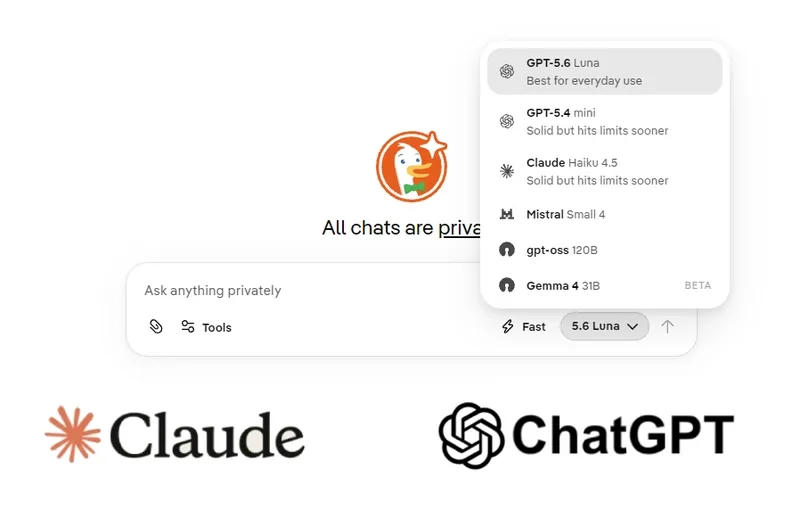
For anyone looking for a hands‑on guide to testing different AI workflows without the friction of account management, this is a solid starting point. It’s particularly useful for developers who want to do a quick comparison between Claude's reasoning and GPT's versatility without having two different browser tabs logged into two different ecosystems.
How Do You Access the Interface?
If you want to try it out, you can find the interface here:
https://Duck.aiIt’s not going to replace a dedicated Pro subscription for power users who need deep integration or massive context windows, but as a lightweight, privacy‑focused deployment for quick queries, it's hard to beat. It turns the LLM testing process into something that feels less like a formal commitment and more like a quick utility.
All Replies (3)
Want a live back-and-forth? Join the global AI chat room — login to talk.
Curious if this is an API proxy or if you're just hitting the web frontends directly? Since DuckDuckGo has basically built a privacy‑first playground for AI experimentation, I'm wondering how your setup compares.
DuckDuckGo's interface is a lifesaver for avoiding spam. I've been using it for a while now, and I finally found a way to bypass the endless "sign up with Google" and "add your credit card" loops that seem to plague every new LLM interface. It's essentially a clean, no-nonsense wrapper that lets you swap between different heavy hitters in seconds. How long have you been using it?
Loving the privacy aspect. Does DuckDuckGo AI handle long prompts better than the official sites? I finally found a way to bypass the endless "sign up with Google" and "add your credit card" loops that seem to plague every new LLM interface.