AI Art vs. Human Creativity
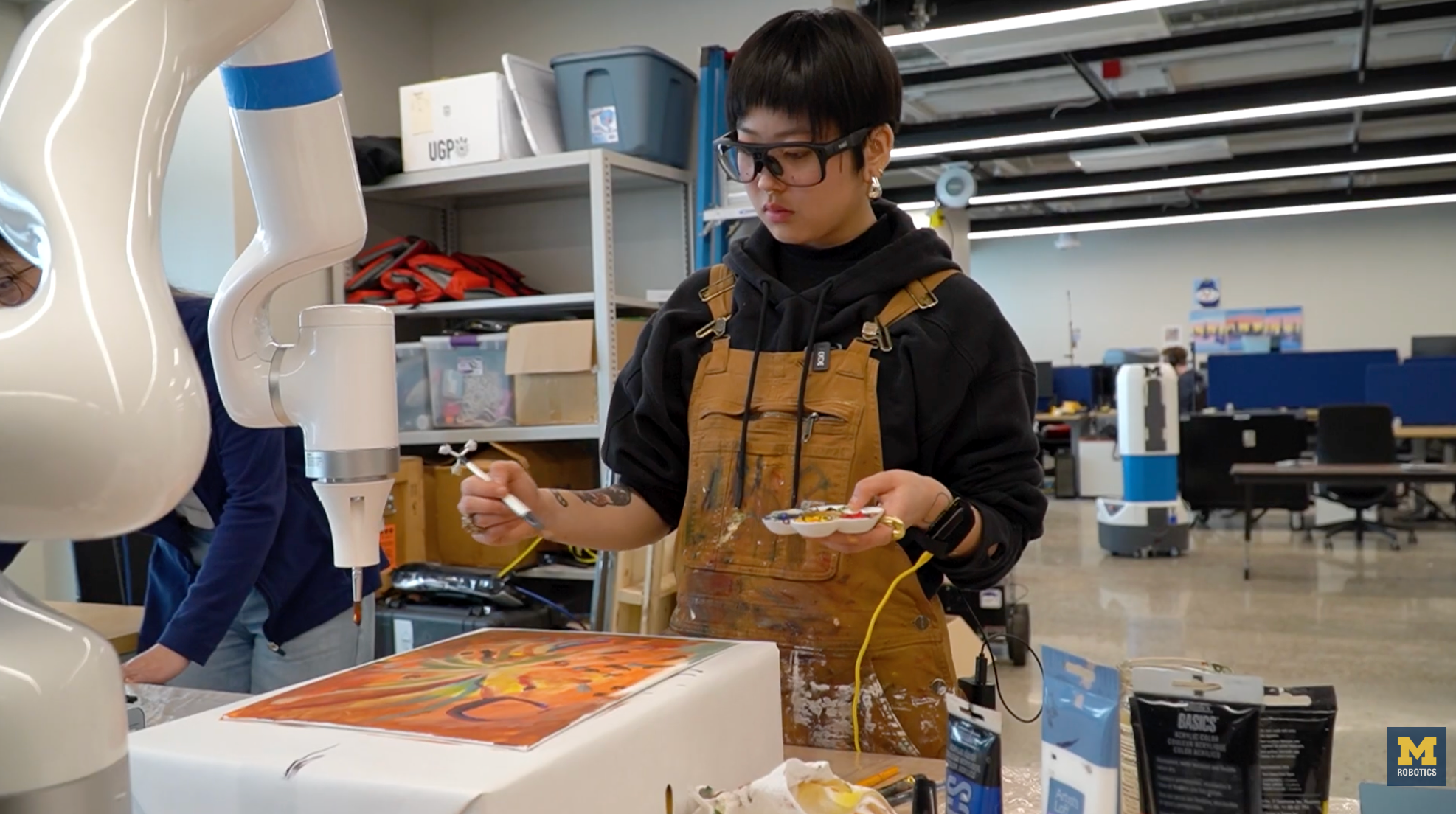
The Friction Between Automation and Expression
Most people view AI as a vending machine: you put in a prompt, and it spits out a finished piece. That's not art; that's asset generation. True creativity requires intentionality and iterative friction. The problem with current AI workflows is that they often remove the "struggle" from the process, which is where the soul of a piece usually lives. However, when used as a collaborator rather than a replacement, an LLM agent or a diffusion model can act as a sophisticated mood board or a rapid prototyping tool.
If you're trying to build a real-world AI workflow for creative projects, you have to stop treating the tool as the final destination. Instead, use it to bridge the gap between a conceptual idea and a rough draft.
A Practical Workflow for AI-Augmented Art
To avoid the "generic AI look," you need to move away from simple prompting and toward a more controlled deployment of these tools. Here is a basic approach to integrating AI into a professional creative pipeline without losing your identity:
1. Conceptual Mapping: Use an LLM to brainstorm unconventional metaphors or historical art references that you wouldn't have thought of.
2. Iterative Sketching: Generate low-fidelity concepts to test compositions and color palettes.
3. Manual Intervention: Bring those assets into a traditional software suite (like Photoshop or Blender) to manually paint over, distort, or restructure the image.
4. Refining via Prompt Engineering: Use highly specific technical descriptors (lighting, lens type, medium) rather than subjective adjectives like "beautiful" or "stunning."
Is it Actually Worth the Hype?
I'm skeptical of the claim that AI "creates" art. It predicts pixels based on a statistical distribution of existing human work. That means it's inherently derivative. But that's true for humans too—we all learn by studying the masters.
The value isn't in the tool itself, but in the prompt engineering and the curation process. If you just hit "generate" and post the result, you aren't an artist; you're a user. But if you use these tools to execute a specific, complex vision that would have taken ten years of manual labor to achieve, then the technology is an amplifier.
The "human touch" isn't found in the brushstroke or the pixel; it's found in the decision-making process. As long as the human is the one making the critical choices about what stays and what goes, the art remains human.