AI Model Cache Cleanup: A Dev-Focused Alternative
Hugging Face and PyTorch caches can easily devour 50GB+ of SSD space without you even noticing. If you're running local LLMs or fine-tuning models, you know the pain of suddenly hitting a "disk full" error in the middle of a training run.
Most general cleaning apps miss these hidden directories because they aren't looking for .cache/huggingface or specific torch binaries. I've been using a free, open-source alternative to CleanMyMac specifically designed for developers and AI engineers that actually targets these technical footprints on both macOS and Windows.
Instead of just clearing browser cookies, this tool hunts down the heavy weights:
- Model Weights: Old versions of LLMs you downloaded once and forgot about.
- Dataset Caches: Temporary files from data loading pipelines.
- Environment Bloat: Residual files from failed conda or pip installs.
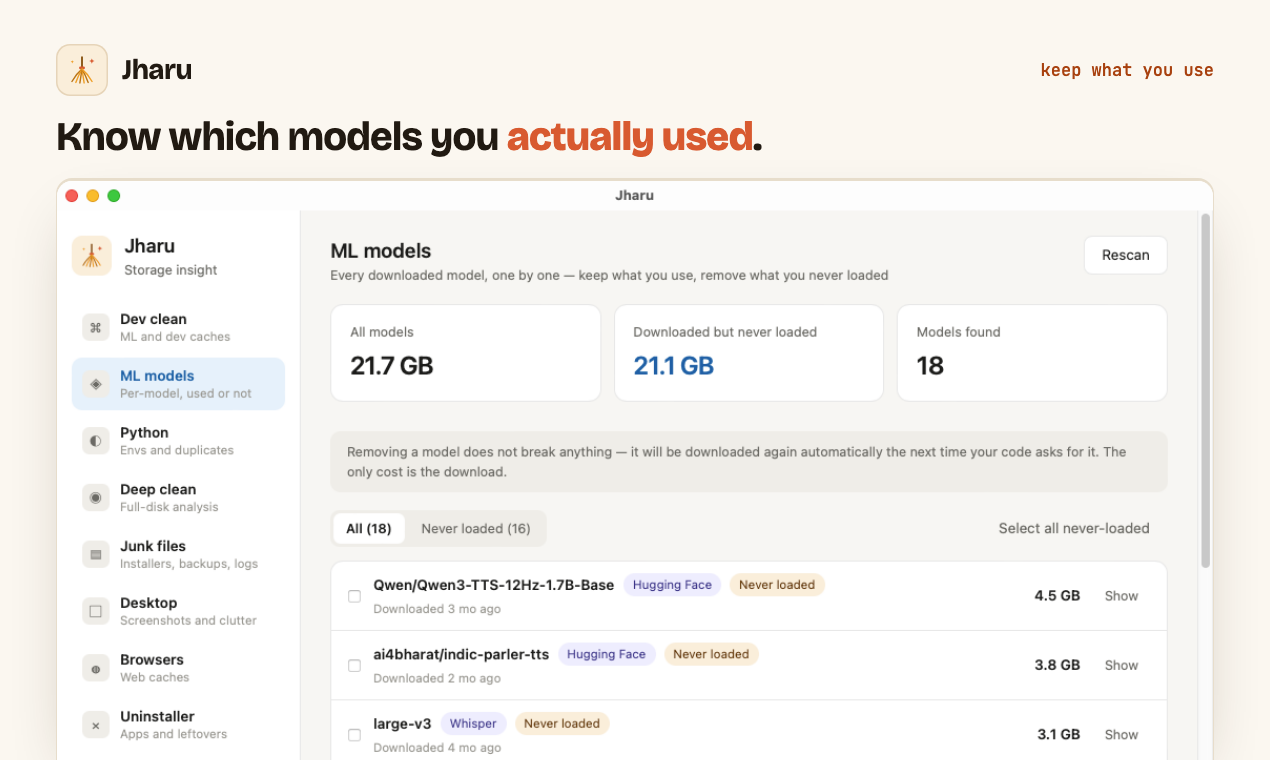
For anyone tired of manually hunting through hidden folders to find what's eating their storage, this is a much more surgical approach. It's a practical way to maintain your AI workflow without paying for a subscription service that doesn't even understand what a tensor is.
All Replies (4)
Changing the HF_HOME variable works wonders for storage. Which drive are you using for the redirect?
My OS drive died from this mess. Does a dedicated partition actually stop the fragmentation?
My boot drive was dying until I moved the HF cache to a secondary HDD. Which drive are you using?
Curious if moving those models to an HDD slowed down your load times at all?