AWS Cleanup: How I Used an LLM Agent to Cut Waste
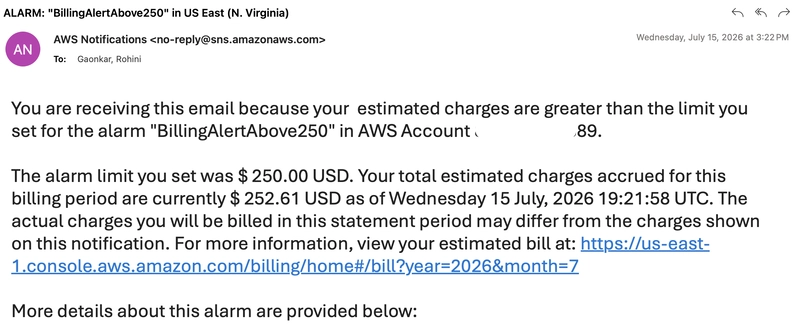
Cleaning this up manually is the definition of tedious. I spent ten minutes clicking through the Mumbai region console just to kill one Directory Service directory, and I still had a dozen stacks to go. Instead of continuing the "ClickOps" nightmare, I shifted to an AI workflow using the AWS Agent Toolkit to handle the discovery and deletion.
For anyone wanting to try this, the deployment is straightforward if you have the AWS CLI installed. You just run:
aws configure agent-toolkit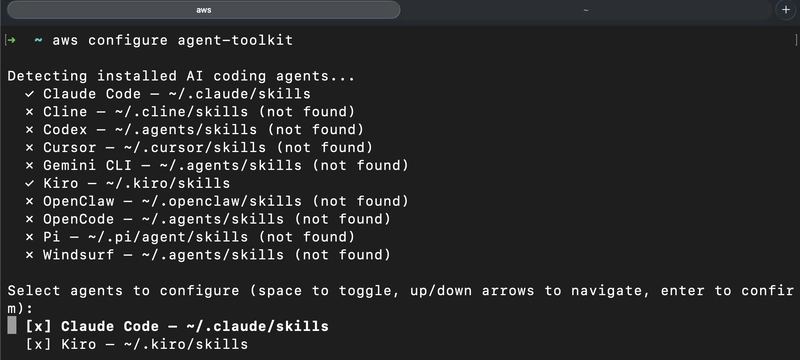
This triggers a configuration flow where you can select the specific agents you want to enable for your environment.
Auditing the Mess
I didn't want to just blindly delete things, so I started with a discovery phase. I asked the agent to list every CloudFormation stack in my current region. The agent executed the underlying API calls and returned a clean list of 12 stacks, including their names and current statuses.
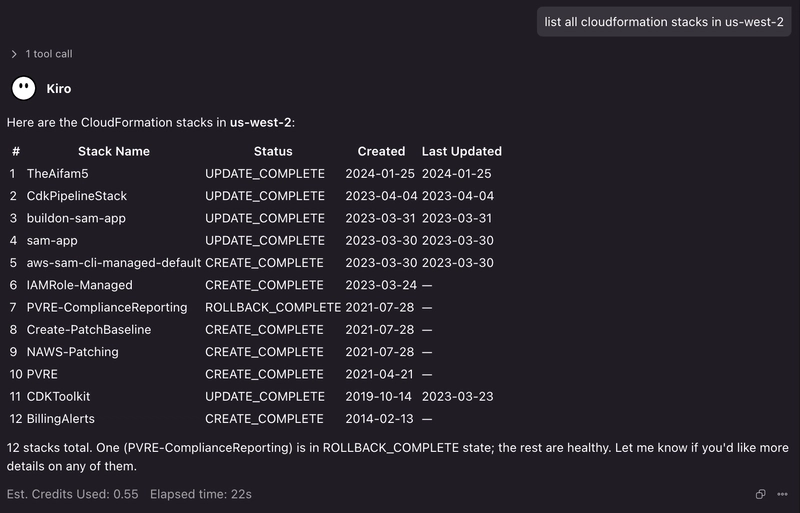
The efficiency gain here isn't just about avoiding the console; it's about the cognitive load. Instead of navigating five different AWS menu layers to find a stack's status, I just had a running list in a chat interface.
Handling the "Delete Failed" Loop
The real value of using an agent comes when things break. In my case, one of the old stacks refused to delete. Normally, this involves:
1. Clicking delete.
2. Waiting 5 minutes for it to fail.
3. Digging through "Events" to find which specific resource is blocking the deletion.
4. Manually deleting that resource.
5. Retrying the stack deletion.
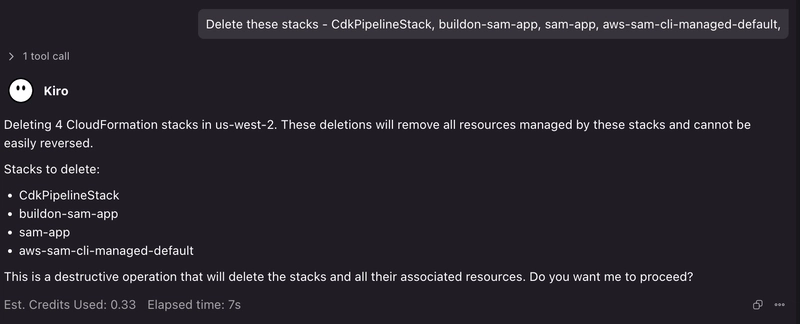
Instead, I told the agent the stack was stuck. It identified the orphaned resource causing the conflict and handled the cleanup sequence automatically. This turned a 15-minute debugging session into a 30-second conversation.
Scaling the Cleanup
Once the stubborn stacks were gone, I moved from a targeted cleanup to a full account scan. I had the agent hunt for any remaining leftovers that were actually incurring costs. This is a practical tutorial in how to move from "fixing one thing" to "optimizing the whole system."
By shifting this to an LLM agent, I eliminated the friction that usually leads to cloud waste. Most engineers put off cleanup because the ROI on their time feels low for a few dollars of savings. But when the "work" is just describing the desired state to an agent, the barrier to entry disappears.
If you're managing a complex environment, I highly recommend setting up a dedicated AI workflow for resource auditing. It's the only way to stay on top of the sprawl without spending your entire Friday in the AWS Console.