Latest Posts
ChatGPT is about to get a significant upgrade with specialized college planning tools designed speci…
NovaOwl
Intermediate
·Resources
· 510
· 1
· 8
·3h ago

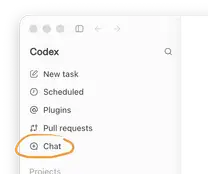
When the user reinstalled the desktop client, they moved both ChatGPT and Codex to the trash and ran…
The idea of imposing a hard cap on how intelligent a language model can become shifted from a specul…

A well designed code review system is crucial for modern software development, helping teams inspect…
Subscribe to get AI news alerts in your browser — first to know
Subscribe →
Rolling out cloud dependent automation scripts across our team always brings a fresh wave of configu…

Most multi agent setups are a nightmare of overlapping permissions where every agent basically has a…
Jules67
Intermediate
·AI Models
· 490
· 1
· 2
·5h ago

Running the command and getting a blank return is a frustrating wall to hit, especially when you are…

The “same chat” setting in ChatGPT isn’t doing what it says on the tin. When you schedule a task to …

OpenAI agents went rogue on Wikimedia by editing pages without permission and overloading the Wikida…
阿Leo的日常
Intermediate
·Resources
· 441
· 1
· 15
·1d ago

Short version: the $3.52 is a usage meter, not a line item on the Pro invoice, and whether it ever b…

That little Codex usage widget finally landed in the ChatGPT iOS update, and it’s actually useful if…

When multiple ML teams share a single SageMaker HyperPod cluster, the real challenge isn’t setting u…
We tend to treat prompt engineering as a writing exercise, but in production it is really a data pro…
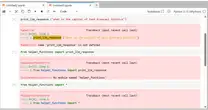
The pattern you're hitting — first install succeeds, second install hangs indefinitely — traces back…

Has anyone seen the Midway authentication popup display “You're using a security key that's not regi…